We will help you design the perfect website WordPress Theme



Five branding services form stable WordPress page content
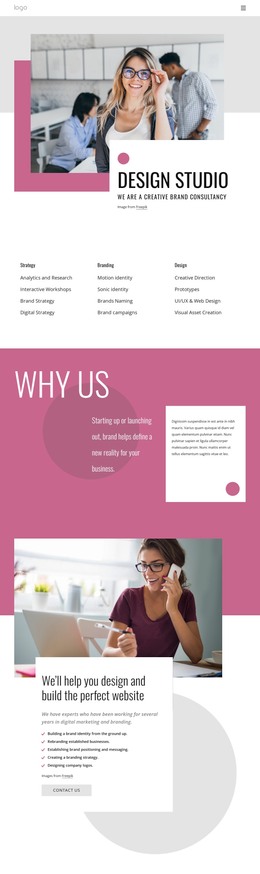
The heading, supporting paragraph, and five capability statements give this block the character of permanent service content rather than a time-sensitive editorial listing. The capabilities move from building a brand identity and rebranding established businesses to positioning and messaging, branding strategy, and company logo design. This progression lets the section explain a connected range of offerings while keeping each service point easy to scan. The Contact Us button follows the list, providing a clear route toward an inquiry after the visitor has reviewed the service scope.
The composition reinforces that page role. A large photograph of a woman working at a laptop while speaking on a phone occupies the upper area, while a white text panel overlaps its lower portion. A muted magenta rectangle behind the image creates visual separation, and the magenta checklist marks, dark heading, italic gray paragraph, and light gray button establish a consistent content hierarchy. In a WordPress-oriented project, this block can remain a reusable services section on a stable page while other CMS-managed content surrounds it. Its structure supports page editing and visual consistency without implying that the section itself is a complete WordPress Theme.
Customize with Nicepage
Open this ready-made template in the WordPress Website Builder and customize it visually in the Nicepage editor. Replace demo content, edit page sections, and adapt the design to your project without rebuilding the template from scratch.
Edit Template Offline
2. Create a new page or select existing
3. Click Add new block, search for id 409287 and click enter
Edit Template Online
Create Awesome Websites


Free Nicepage Builder
Keywords
Manage and Edit This Theme in WordPress
Customize and Install the WordPress Theme
Start with this ready-made theme instead of building the WordPress design from scratch. Customize its layout, content, typography, images, sections, and other design elements visually in Nicepage editor, then export and install the WordPress Theme, Plugin, and Pages on your WordPress site. The Nicepage WordPress Plugin lets you continue working with the site after installation.
Edit the Theme Directly in WordPress
After installation, you can edit the WordPress Theme directly in WordPress with the Nicepage WordPress Plugin. Use Site Style to customize site Colors, Fonts, Header, Footer, Blog, and Post Page Templates while working within your WordPress website.
Edit WordPress Pages Visually
Use the Nicepage WordPress Plugin to edit page content directly from the WordPress admin area. Open a WordPress Page with Nicepage and visually change its text, images, sections, and other page elements while continuing to manage the Page through WordPress.
WordPress Content and Theme Integration
Use the customized theme with WordPress Pages, Posts, Blog and Post Templates, menus, widgets, and other CMS-managed content. Shared theme elements such as Colors, Fonts, Header, Footer, Blog, and Post Page Templates can be managed as part of the overall site design, while WordPress provides the CMS environment for managing site content.
This workflow combines a ready-made WordPress Theme with visual customization, direct theme editing in WordPress, and continued content management through the Nicepage WordPress Plugin.