Psychologist consultation WordPress Theme


Stable Consultation Content for a WordPress-Managed Page
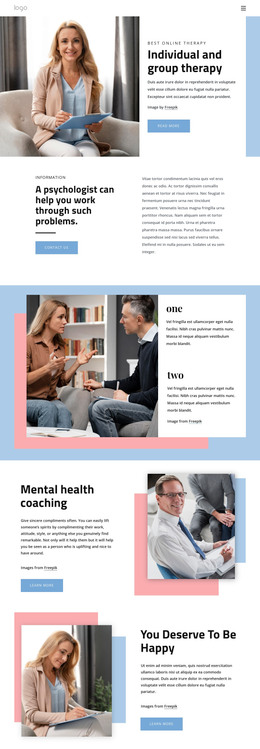
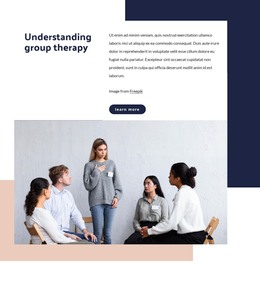
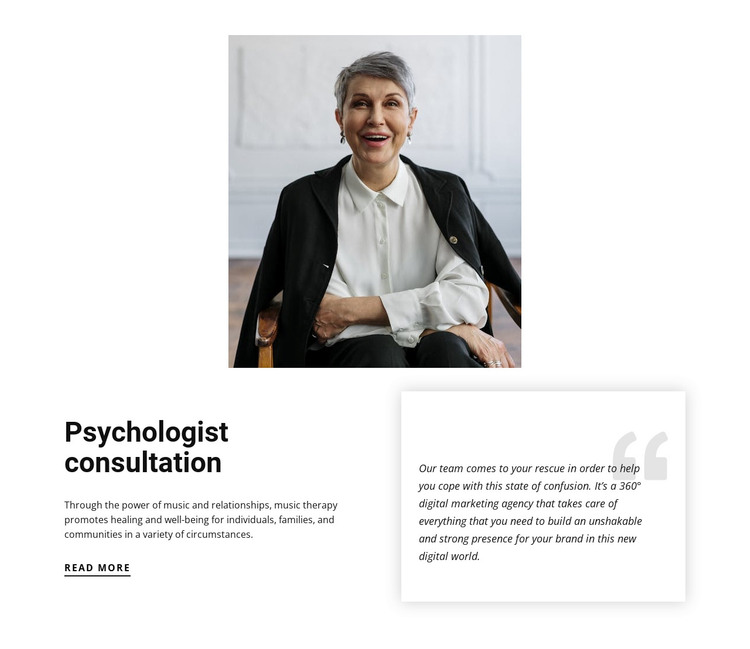
The heading and explanatory paragraph give this block the character of permanent page content rather than a changing list of entries. “Psychologist consultation” states the subject directly, while the supporting copy develops it through music therapy, relationships, healing, and well-being. The underlined “read more” link creates a clear continuation point for visitors who need more information. Together, these elements can form a stable consultation section on a WordPress-managed page.
The portrait above the lower area supplies the visual introduction, while the two-column arrangement keeps the content easy to distinguish. The left side carries the main consultation explanation and its link. On the right, the quote-style card offers a separate supporting content area, using a soft shadow and oversized pale quotation mark to signal a different text treatment. Its supplied wording discusses helping with confusion and digital marketing services, so it should be handled as sample quote-style content rather than presented as a verified psychology testimonial or service statement.
In a WordPress-oriented project, the block can remain a reusable page-content region while other managed content surrounds it. The section does not need to become a theme or complete site to provide value: its role is to present one consultation topic with a portrait, explanatory copy, and a secondary text card. The static layout keeps that content relationship consistent across the page.
Customize with Nicepage
Open this ready-made template in the WordPress Website Builder and customize it visually in the Nicepage editor. Replace demo content, edit page sections, and adapt the design to your project without rebuilding the template from scratch.
Edit Template Offline
2. Create a new page or select existing
3. Click Add new block, search for id 302817 and click enter
Edit Template Online
Create Awesome Websites


Free Nicepage Builder
Keywords
Manage and Edit This Theme in WordPress
Customize and Install the WordPress Theme
Start with this ready-made theme instead of building the WordPress design from scratch. Customize its layout, content, typography, images, sections, and other design elements visually in Nicepage editor, then export and install the WordPress Theme, Plugin, and Pages on your WordPress site. The Nicepage WordPress Plugin lets you continue working with the site after installation.
Edit the Theme Directly in WordPress
After installation, you can edit the WordPress Theme directly in WordPress with the Nicepage WordPress Plugin. Use Site Style to customize site Colors, Fonts, Header, Footer, Blog, and Post Page Templates while working within your WordPress website.
Edit WordPress Pages Visually
Use the Nicepage WordPress Plugin to edit page content directly from the WordPress admin area. Open a WordPress Page with Nicepage and visually change its text, images, sections, and other page elements while continuing to manage the Page through WordPress.
WordPress Content and Theme Integration
Use the customized theme with WordPress Pages, Posts, Blog and Post Templates, menus, widgets, and other CMS-managed content. Shared theme elements such as Colors, Fonts, Header, Footer, Blog, and Post Page Templates can be managed as part of the overall site design, while WordPress provides the CMS environment for managing site content.
This workflow combines a ready-made WordPress Theme with visual customization, direct theme editing in WordPress, and continued content management through the Nicepage WordPress Plugin.