Three reasons WordPress Theme


Numbered Feature Content With Separate Paths to More Detail
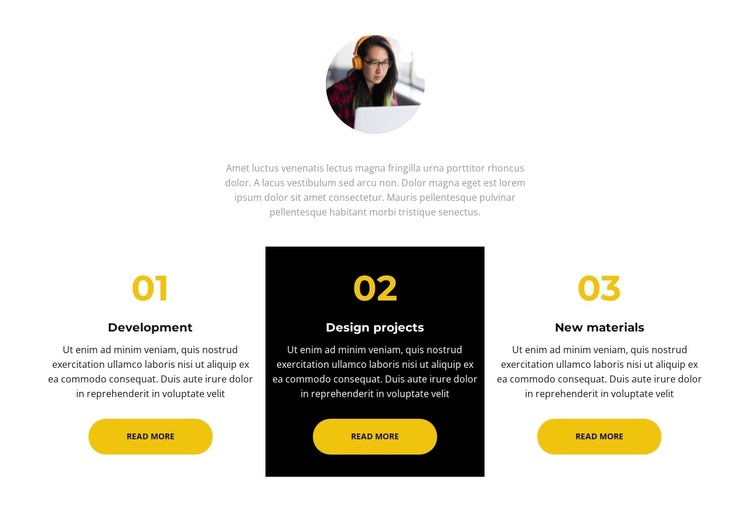
The three cards give this section a practical structure for stable, page-oriented content in a WordPress-managed project. Development, Design projects, and New materials appear as distinct labeled units rather than as one uninterrupted paragraph. Each item includes descriptive copy and a Read more button, allowing the overview to stay concise while offering a separate continuation point for further information. The 01, 02, and 03 markers reinforce the relationship between the entries without turning the section into a full page structure.
The centered portrait and introductory paragraph act as a short preface to the card content. Their placement above the row gives the section a clear starting point, while the three equal-width columns keep the feature explanations balanced. Gold numbering and rounded gold buttons repeat across the cards, making the related items feel consistent. The second card's black background and light text create a deliberate contrast with the light first and third cards, helping readers distinguish the middle entry.
This makes the block suitable as a reusable feature or process area within permanent page content. A WordPress-oriented project can place it among other sections while retaining its own image, three-item logic, and visual hierarchy. The block does not need to carry the surrounding site's editorial or navigation structure; its role is to present three concise content units and provide clear routes toward their deeper details.
Customize with Nicepage
Open this ready-made template in the WordPress Website Builder and customize it visually in the Nicepage editor. Replace demo content, edit page sections, and adapt the design to your project without rebuilding the template from scratch.
Edit Template Offline
2. Create a new page or select existing
3. Click Add new block, search for id 2509288 and click enter
Edit Template Online
Create Awesome Websites


Free Nicepage Builder
Keywords
Manage and Edit This Theme in WordPress
Customize and Install the WordPress Theme
Start with this ready-made theme instead of building the WordPress design from scratch. Customize its layout, content, typography, images, sections, and other design elements visually in Nicepage editor, then export and install the WordPress Theme, Plugin, and Pages on your WordPress site. The Nicepage WordPress Plugin lets you continue working with the site after installation.
Edit the Theme Directly in WordPress
After installation, you can edit the WordPress Theme directly in WordPress with the Nicepage WordPress Plugin. Use Site Style to customize site Colors, Fonts, Header, Footer, Blog, and Post Page Templates while working within your WordPress website.
Edit WordPress Pages Visually
Use the Nicepage WordPress Plugin to edit page content directly from the WordPress admin area. Open a WordPress Page with Nicepage and visually change its text, images, sections, and other page elements while continuing to manage the Page through WordPress.
WordPress Content and Theme Integration
Use the customized theme with WordPress Pages, Posts, Blog and Post Templates, menus, widgets, and other CMS-managed content. Shared theme elements such as Colors, Fonts, Header, Footer, Blog, and Post Page Templates can be managed as part of the overall site design, while WordPress provides the CMS environment for managing site content.
This workflow combines a ready-made WordPress Theme with visual customization, direct theme editing in WordPress, and continued content management through the Nicepage WordPress Plugin.