Contact form with shapes and image WordPress Theme


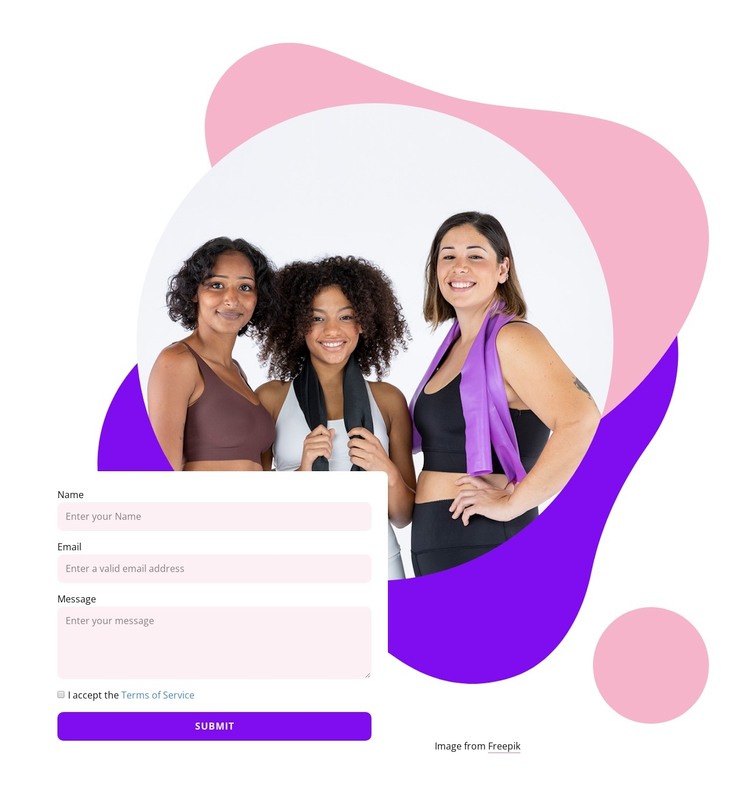
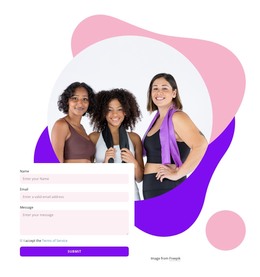
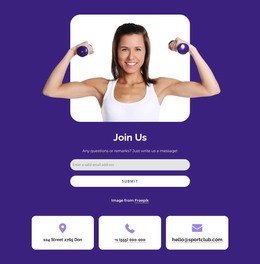
Stable Contact Content Around a Focused Fitness Visual
The form's three inputs create a straightforward WordPress-oriented content area for a visitor's name, email, and message. The required Terms of Service checkbox appears within the same white card, followed by a centered uppercase Submit button filled with saturated purple. This keeps the practical content grouped together, while the circular fitness portrait and the layered pink, lavender, and purple shapes provide the visual frame behind it. The overlap between artwork and card adds depth without obscuring the contact task.
In a WordPress-managed site, the block can function as stable page content on a contact, services, or inquiry section. Its subject matter can support a fitness or sports context, but the section does not need to carry the site's other content: neighboring areas can explain offerings, display schedules, introduce a team, or provide directions. The block's value is the combination of a recognizable visual cue and a defined message-submission point.
Nicepage documentation confirms WordPress content and plugin workflows for broader projects, while this block remains one reusable section inside that environment. The form fields, consent step, and Submit action can be kept together when the visual direction is reused, allowing the surrounding site to manage additional page content without changing the block's core relationship between imagery and contact details.
Customize with Nicepage
Open this ready-made template in the WordPress Website Builder and customize it visually in the Nicepage editor. Replace demo content, edit page sections, and adapt the design to your project without rebuilding the template from scratch.
Edit Template Offline
2. Create a new page or select existing
3. Click Add new block, search for id 2392106 and click enter
Edit Template Online
Create Awesome Websites


Free Nicepage Builder
Keywords
Manage and Edit This Theme in WordPress
Customize and Install the WordPress Theme
Start with this ready-made theme instead of building the WordPress design from scratch. Customize its layout, content, typography, images, sections, and other design elements visually in Nicepage editor, then export and install the WordPress Theme, Plugin, and Pages on your WordPress site. The Nicepage WordPress Plugin lets you continue working with the site after installation.
Edit the Theme Directly in WordPress
After installation, you can edit the WordPress Theme directly in WordPress with the Nicepage WordPress Plugin. Use Site Style to customize site Colors, Fonts, Header, Footer, Blog, and Post Page Templates while working within your WordPress website.
Edit WordPress Pages Visually
Use the Nicepage WordPress Plugin to edit page content directly from the WordPress admin area. Open a WordPress Page with Nicepage and visually change its text, images, sections, and other page elements while continuing to manage the Page through WordPress.
WordPress Content and Theme Integration
Use the customized theme with WordPress Pages, Posts, Blog and Post Templates, menus, widgets, and other CMS-managed content. Shared theme elements such as Colors, Fonts, Header, Footer, Blog, and Post Page Templates can be managed as part of the overall site design, while WordPress provides the CMS environment for managing site content.
This workflow combines a ready-made WordPress Theme with visual customization, direct theme editing in WordPress, and continued content management through the Nicepage WordPress Plugin.