Ideas for creative filming WordPress Theme


A Balanced Fashion Feature for Page-Oriented Content
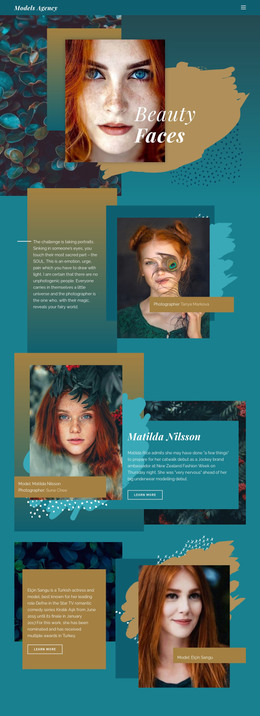
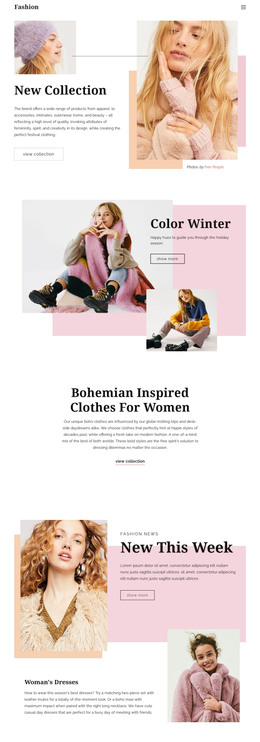
The block’s content reads as a stable editorial feature: a close-up portrait establishes the visual subject, and the adjacent text panel explains the fashion topic. The introductory question about how designers envision women and the female image creates an opening point, while the “Fashion Trends” heading gives the section a clear label. Beneath that hierarchy, the supporting paragraph connects the discussion with the Spring/Summer 2019 shows. Three social links add outward-facing destinations within the text column, positioned between the introduction and heading.
For a WordPress-managed page, this arrangement can hold permanent fashion content as one recognizable section. It is more specific than a generic image-and-text pair because the portrait, editorial question, heading, and supporting discussion work together as one topic. The wider project can place other page content around it, while this block remains focused on presenting the fashion feature rather than carrying the entire page structure.
The equal-width split also gives the section a repeatable visual pattern. The saturated red portrait supplies strong color and immediate attention on one side; warm blush and muted pink tones, centered sans-serif copy, and the large serif heading organize the other. That contrast can help the section stand apart within a longer page while keeping its content readable. In a WordPress context, the block therefore functions as a defined editorial content area that can be maintained alongside other page sections.
Customize with Nicepage
Open this ready-made template in the WordPress Website Builder and customize it visually in the Nicepage editor. Replace demo content, edit page sections, and adapt the design to your project without rebuilding the template from scratch.
Edit Template Offline
2. Create a new page or select existing
3. Click Add new block, search for id 209512 and click enter
Edit Template Online
Create Awesome Websites


Free Nicepage Builder
Keywords
Manage and Edit This Theme in WordPress
Customize and Install the WordPress Theme
Start with this ready-made theme instead of building the WordPress design from scratch. Customize its layout, content, typography, images, sections, and other design elements visually in Nicepage editor, then export and install the WordPress Theme, Plugin, and Pages on your WordPress site. The Nicepage WordPress Plugin lets you continue working with the site after installation.
Edit the Theme Directly in WordPress
After installation, you can edit the WordPress Theme directly in WordPress with the Nicepage WordPress Plugin. Use Site Style to customize site Colors, Fonts, Header, Footer, Blog, and Post Page Templates while working within your WordPress website.
Edit WordPress Pages Visually
Use the Nicepage WordPress Plugin to edit page content directly from the WordPress admin area. Open a WordPress Page with Nicepage and visually change its text, images, sections, and other page elements while continuing to manage the Page through WordPress.
WordPress Content and Theme Integration
Use the customized theme with WordPress Pages, Posts, Blog and Post Templates, menus, widgets, and other CMS-managed content. Shared theme elements such as Colors, Fonts, Header, Footer, Blog, and Post Page Templates can be managed as part of the overall site design, while WordPress provides the CMS environment for managing site content.
This workflow combines a ready-made WordPress Theme with visual customization, direct theme editing in WordPress, and continued content management through the Nicepage WordPress Plugin.