Strategy under uncertainty WordPress Theme


An About Us Content Area for WordPress-Managed Pages
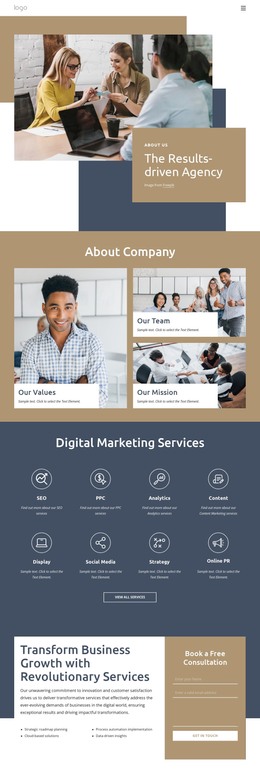
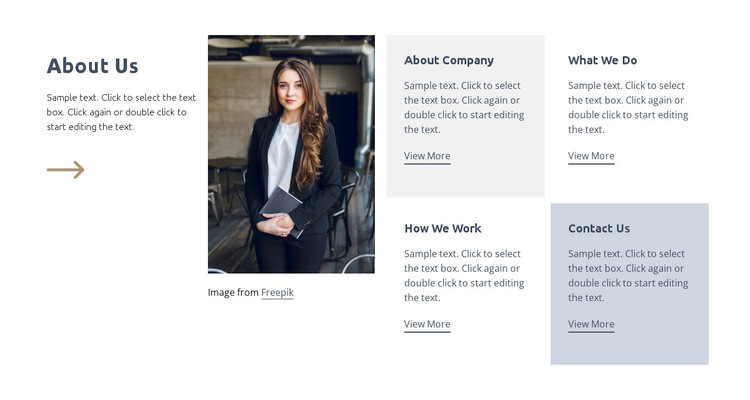
The block’s upper split gives permanent organization information a defined presentation. The “About Us” heading and supporting paragraph occupy one side, while a single tall portrait sits beside them, creating a human point of emphasis without turning the section into a full page introduction. Generous spacing and the restrained blue-gray palette keep the text readable and give the image a separate visual role.
Below this introduction, four repeated cards create a practical set of page-content destinations: “About Company,” “What We Do,” “How We Work,” and “Contact Us.” Their consistent structure makes the group suitable for stable information that visitors may revisit, while the repeated “View More” links can lead to fuller content elsewhere in the WordPress-managed project. The two-by-two arrangement also keeps these topics visible together instead of presenting them as a long sequence.
For a WordPress Theme use case, the section can serve as a reusable content area within a broader page while WordPress manages the surrounding site and additional content. Its organization is specific enough to preserve a recognizable about role, yet open enough for the sample text and linked destinations to be replaced with the project’s own material. The block contributes a defined page section, not the complete theme or site structure.
Customize with Nicepage
Open this ready-made template in the WordPress Website Builder and customize it visually in the Nicepage editor. Replace demo content, edit page sections, and adapt the design to your project without rebuilding the template from scratch.
Edit Template Offline
2. Create a new page or select existing
3. Click Add new block, search for id 194782 and click enter
Edit Template Online
Create Awesome Websites


Free Nicepage Builder
Keywords
Manage and Edit This Theme in WordPress
Customize and Install the WordPress Theme
Start with this ready-made theme instead of building the WordPress design from scratch. Customize its layout, content, typography, images, sections, and other design elements visually in Nicepage editor, then export and install the WordPress Theme, Plugin, and Pages on your WordPress site. The Nicepage WordPress Plugin lets you continue working with the site after installation.
Edit the Theme Directly in WordPress
After installation, you can edit the WordPress Theme directly in WordPress with the Nicepage WordPress Plugin. Use Site Style to customize site Colors, Fonts, Header, Footer, Blog, and Post Page Templates while working within your WordPress website.
Edit WordPress Pages Visually
Use the Nicepage WordPress Plugin to edit page content directly from the WordPress admin area. Open a WordPress Page with Nicepage and visually change its text, images, sections, and other page elements while continuing to manage the Page through WordPress.
WordPress Content and Theme Integration
Use the customized theme with WordPress Pages, Posts, Blog and Post Templates, menus, widgets, and other CMS-managed content. Shared theme elements such as Colors, Fonts, Header, Footer, Blog, and Post Page Templates can be managed as part of the overall site design, while WordPress provides the CMS environment for managing site content.
This workflow combines a ready-made WordPress Theme with visual customization, direct theme editing in WordPress, and continued content management through the Nicepage WordPress Plugin.