Latest runway styles WordPress Theme


Stable Fashion Content for a WordPress-Managed Page
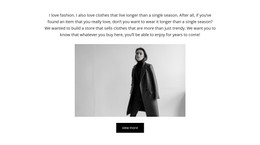
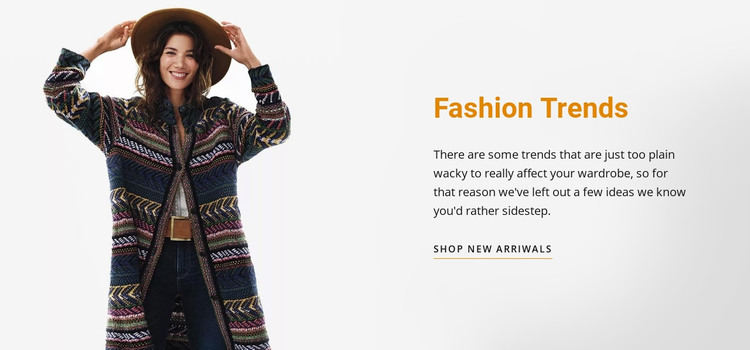
The heading, wardrobe-trend paragraph, and “Shop new arrivals” link read as stable page content rather than a time-based list of posts. The large fashion portrait adds the visual context for that message, while the split layout keeps the image and written content distinct. In a WordPress-oriented project, this makes the block suitable for a permanent fashion-trends or retail feature within a broader managed page.
Its content relationship is straightforward: the image introduces the editorial subject, the paragraph gives visitors a reason to consider the trend message, and the link points toward new arrivals. Warm orange heading text and an uppercase underlined action help that sequence remain recognizable when the block sits among other page sections. The light neutral background and generous whitespace also make the section easy to distinguish from denser content areas without requiring a separate component or confirmed CMS element inside the block.
Nicepage documentation describes WordPress workflows for working with page content and broader theme projects, but the practical interpretation here remains section-level. The block can retain its visual arrangement while the surrounding WordPress-managed site handles additional pages and content. Its contribution is a reusable, publishable fashion feature with a clear editorial-to-shopping relationship, not a standalone WordPress Theme or a claim about posts, categories, or widgets already being present.
Customize with Nicepage
Open this ready-made template in the WordPress Website Builder and customize it visually in the Nicepage editor. Replace demo content, edit page sections, and adapt the design to your project without rebuilding the template from scratch.
Edit Template Offline
2. Create a new page or select existing
3. Click Add new block, search for id 19142 and click enter
Edit Template Online
Create Awesome Websites


Free Nicepage Builder
Keywords
Manage and Edit This Theme in WordPress
Customize and Install the WordPress Theme
Start with this ready-made theme instead of building the WordPress design from scratch. Customize its layout, content, typography, images, sections, and other design elements visually in Nicepage editor, then export and install the WordPress Theme, Plugin, and Pages on your WordPress site. The Nicepage WordPress Plugin lets you continue working with the site after installation.
Edit the Theme Directly in WordPress
After installation, you can edit the WordPress Theme directly in WordPress with the Nicepage WordPress Plugin. Use Site Style to customize site Colors, Fonts, Header, Footer, Blog, and Post Page Templates while working within your WordPress website.
Edit WordPress Pages Visually
Use the Nicepage WordPress Plugin to edit page content directly from the WordPress admin area. Open a WordPress Page with Nicepage and visually change its text, images, sections, and other page elements while continuing to manage the Page through WordPress.
WordPress Content and Theme Integration
Use the customized theme with WordPress Pages, Posts, Blog and Post Templates, menus, widgets, and other CMS-managed content. Shared theme elements such as Colors, Fonts, Header, Footer, Blog, and Post Page Templates can be managed as part of the overall site design, while WordPress provides the CMS environment for managing site content.
This workflow combines a ready-made WordPress Theme with visual customization, direct theme editing in WordPress, and continued content management through the Nicepage WordPress Plugin.