How to get consulting clients Website Template


A Recognizable Consulting Section Built Around Image and Message
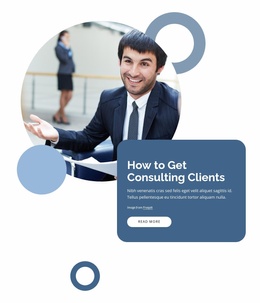
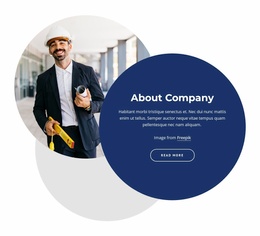
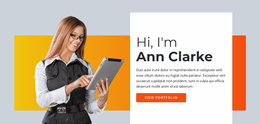
The left-aligned circular portrait gives this block a clear visual anchor, while the dark blue rounded panel carries the heading “How to Get Consulting Clients,” supporting text, attribution, and one “read more” action. Because the panel overlaps the lower-right portion of the image, the section has a distinctive layered arrangement that can be reused as a consulting introduction within a broader website project. It is more specific than a generic text block while remaining compact enough to coordinate with neighboring sections.
The visual system also gives the section a repeatable identity. White typography and a pill-shaped white button stand out against the dark blue panel, while the white page background leaves generous space around the portrait and message. Circular and ring-shaped blue forms extend the image’s rounded language into the surrounding composition. These relationships can help a related services, profile, or information section feel connected when the broader project develops similar spacing, color roles, or shape treatments.
Within a larger website template, the block can introduce consulting content before more detailed service information, proof, or contact content supplied by other sections. The “read more” button provides a contained route to that next information, but the block itself remains one reusable section rather than a complete site or full conversion experience. Its stable heading-image-panel structure makes it suitable for repeating a recognizable consulting presentation where a project needs a strong opening content area.
Customize with Nicepage
Open this ready-made template in the Website Template Builder and customize it visually in the Nicepage editor. Replace demo content, edit page sections, and adapt the design to your project without rebuilding the template from scratch.
Edit Template Offline
2. Create a new page or select existing
3. Click Add new block, search for id 1736937 and click enter
Edit Template Online
Create Awesome Websites


Free Nicepage Builder
Keywords
Use This Block in a Broader Website Template Project
Treat the Block as One Reusable Site Section
A website project is assembled from multiple pages and sections. The analyzed block provides one reusable content area—such as services, About, testimonials, pricing, gallery, team, or contact—while the rest of the site supplies other page-level functions.
Coordinate the Section With Other Pages
Use the Pages panel to manage the pages of the broader project. The block can remain one consistent section pattern while related pages add deeper information or different content without implying that the Block ID itself contains those pages.
Expand With Matching Designs
When additional pages or sections are needed, Page Design Sets can help locate matching Page and Block Designs. This can extend the visual direction around the existing block while keeping the site's other content areas separate.
This workflow treats the block as a reusable building unit inside a larger Website Template project, not as a complete website foundation on its own.