Business strategy and scopes WordPress Theme


Permanent Sector Coverage Paired With Supporting Visual Content
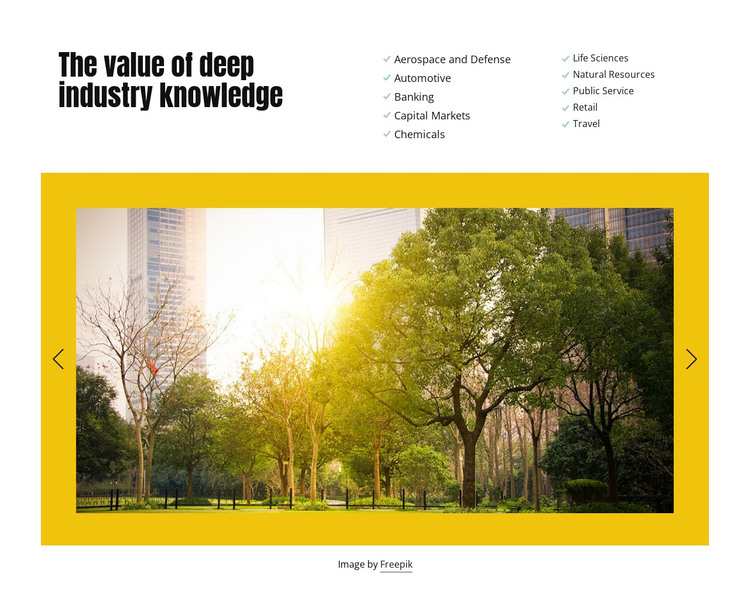
The heading and sector lists form the block’s most stable content group. “The value of deep industry knowledge” introduces two columns of five labels, covering Aerospace and Defense, Automotive, Banking, Capital Markets, Chemicals, Life Sciences, Natural Resources, Public Service, Retail, and Travel. In a WordPress-managed page, this can function as durable expertise content that remains relevant while the surrounding site adds or updates other material. The block presents a defined subject without depending on a stream of posts or a changing archive.
The carousel gives the section a visual presentation layer. Two landscape image slides appear below the lists inside a saturated yellow frame, with previous and next controls allowing the visitor to move through the available media. The attribution credit beneath the image keeps the source note connected to that visual region. Together, the upper lists and lower carousel create a page section that can remain visually consistent even as other site content evolves.
A WordPress project can place this section beside related service, case-study, or contact content while preserving its own hierarchy. Nicepage’s WordPress Theme, Plugin, and Pages workflow describes the wider product context, but the block itself remains one publishable content area rather than a complete theme. Its practical role is to present sector breadth in a stable, recognizable format.
Customize with Nicepage
Open this ready-made template in the WordPress Website Builder and customize it visually in the Nicepage editor. Replace demo content, edit page sections, and adapt the design to your project without rebuilding the template from scratch.
Edit Template Offline
2. Create a new page or select existing
3. Click Add new block, search for id 110616 and click enter
Edit Template Online
Create Awesome Websites


Free Nicepage Builder
Keywords
Manage and Edit This Theme in WordPress
Customize and Install the WordPress Theme
Start with this ready-made theme instead of building the WordPress design from scratch. Customize its layout, content, typography, images, sections, and other design elements visually in Nicepage editor, then export and install the WordPress Theme, Plugin, and Pages on your WordPress site. The Nicepage WordPress Plugin lets you continue working with the site after installation.
Edit the Theme Directly in WordPress
After installation, you can edit the WordPress Theme directly in WordPress with the Nicepage WordPress Plugin. Use Site Style to customize site Colors, Fonts, Header, Footer, Blog, and Post Page Templates while working within your WordPress website.
Edit WordPress Pages Visually
Use the Nicepage WordPress Plugin to edit page content directly from the WordPress admin area. Open a WordPress Page with Nicepage and visually change its text, images, sections, and other page elements while continuing to manage the Page through WordPress.
WordPress Content and Theme Integration
Use the customized theme with WordPress Pages, Posts, Blog and Post Templates, menus, widgets, and other CMS-managed content. Shared theme elements such as Colors, Fonts, Header, Footer, Blog, and Post Page Templates can be managed as part of the overall site design, while WordPress provides the CMS environment for managing site content.
This workflow combines a ready-made WordPress Theme with visual customization, direct theme editing in WordPress, and continued content management through the Nicepage WordPress Plugin.