World without limits WordPress Theme


Structured Feature Content for a WordPress-Managed Page
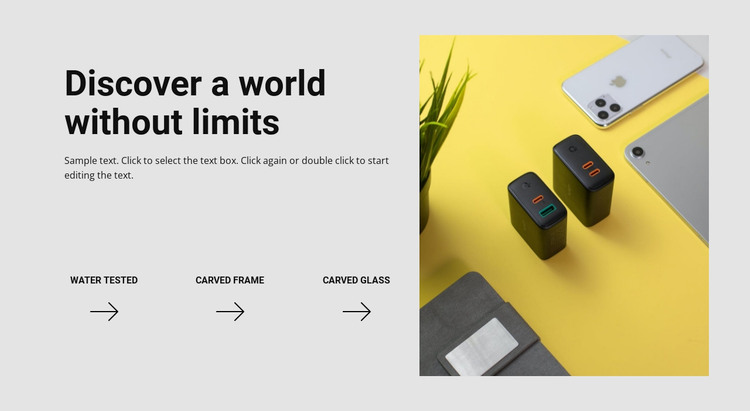
The heading “Discover a world without limits” and its supporting paragraph provide a stable introduction to the section, while Water Tested, Carved Frame, and Carved Glass divide the remaining message into three concise feature labels. Their horizontal row beneath the copy creates a readable content unit that can sit within a WordPress-managed page without relying on an editorial feed, post list, or other time-based structure. The block’s purpose remains focused on presenting related product qualities.
The large square technology photograph on the right gives the written feature area a distinct visual anchor. On the left, bold black typography and simple directional icons keep the labels easy to scan; on the right, the bright yellow image contrasts with the light gray background. This separation between structured information and product imagery makes the section suitable for permanent page content that needs a consistent presentation.
In a WordPress-oriented project, the block can occupy a stable feature region while the wider site manages other pages and content around it. The section itself does not need to contain the entire publishing structure. Its value is the repeatable relationship between introductory copy, three named highlights, and one prominent image. That arrangement can remain visually consistent as the surrounding page content develops or changes.
Customize with Nicepage
Open this ready-made template in the WordPress Website Builder and customize it visually in the Nicepage editor. Replace demo content, edit page sections, and adapt the design to your project without rebuilding the template from scratch.
Edit Template Offline
2. Create a new page or select existing
3. Click Add new block, search for id 107729 and click enter
Edit Template Online
Create Awesome Websites


Free Nicepage Builder
Keywords
Manage and Edit This Theme in WordPress
Customize and Install the WordPress Theme
Start with this ready-made theme instead of building the WordPress design from scratch. Customize its layout, content, typography, images, sections, and other design elements visually in Nicepage editor, then export and install the WordPress Theme, Plugin, and Pages on your WordPress site. The Nicepage WordPress Plugin lets you continue working with the site after installation.
Edit the Theme Directly in WordPress
After installation, you can edit the WordPress Theme directly in WordPress with the Nicepage WordPress Plugin. Use Site Style to customize site Colors, Fonts, Header, Footer, Blog, and Post Page Templates while working within your WordPress website.
Edit WordPress Pages Visually
Use the Nicepage WordPress Plugin to edit page content directly from the WordPress admin area. Open a WordPress Page with Nicepage and visually change its text, images, sections, and other page elements while continuing to manage the Page through WordPress.
WordPress Content and Theme Integration
Use the customized theme with WordPress Pages, Posts, Blog and Post Templates, menus, widgets, and other CMS-managed content. Shared theme elements such as Colors, Fonts, Header, Footer, Blog, and Post Page Templates can be managed as part of the overall site design, while WordPress provides the CMS environment for managing site content.
This workflow combines a ready-made WordPress Theme with visual customization, direct theme editing in WordPress, and continued content management through the Nicepage WordPress Plugin.