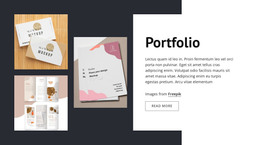
Winning the market WordPress Theme


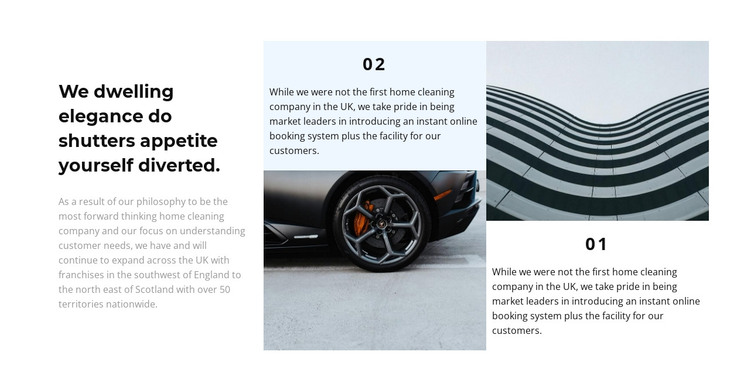
A Stable Company-Information Region for WordPress Pages
The left column works as the block's main statement, combining a strong heading with supporting copy before the eye moves to the two numbered panels. Panel 02 and panel 01 offer distinct content units rather than identical cards: the first places explanatory text above an image, while the second uses the image as the opening visual before its text. This contrast gives the section a useful rhythm for presenting related service or company information without adding interaction.
For a WordPress-managed page, the arrangement can function as stable, publishable content in an about or services context. The section remains one visual region, while other page content can provide deeper descriptions, booking information, or contact details around it. Its white background and restrained monochrome treatment make the block easy to coordinate with an existing page style, and the pale text areas help maintain separation between imagery and copy. Generous spacing supports scanning across the three columns, while the staggered panel positions prevent the right side from reading as a rigid list. This makes the block suited to permanent informational content that benefits from a clear introduction, two labeled supporting areas, and a visible relationship between images and explanatory text.
Customize with Nicepage
Open this ready-made template in the WordPress Website Builder and customize it visually in the Nicepage editor. Replace demo content, edit page sections, and adapt the design to your project without rebuilding the template from scratch.
Edit Template Offline
2. Create a new page or select existing
3. Click Add new block, search for id 980647 and click enter
Edit Template Online
Create Awesome Websites


Free Nicepage Builder
Keywords
Manage and Edit This Theme in WordPress
Customize and Install the WordPress Theme
Start with this ready-made theme instead of building the WordPress design from scratch. Customize its layout, content, typography, images, sections, and other design elements visually in Nicepage editor, then export and install the WordPress Theme, Plugin, and Pages on your WordPress site. The Nicepage WordPress Plugin lets you continue working with the site after installation.
Edit the Theme Directly in WordPress
After installation, you can edit the WordPress Theme directly in WordPress with the Nicepage WordPress Plugin. Use Site Style to customize site Colors, Fonts, Header, Footer, Blog, and Post Page Templates while working within your WordPress website.
Edit WordPress Pages Visually
Use the Nicepage WordPress Plugin to edit page content directly from the WordPress admin area. Open a WordPress Page with Nicepage and visually change its text, images, sections, and other page elements while continuing to manage the Page through WordPress.
WordPress Content and Theme Integration
Use the customized theme with WordPress Pages, Posts, Blog and Post Templates, menus, widgets, and other CMS-managed content. Shared theme elements such as Colors, Fonts, Header, Footer, Blog, and Post Page Templates can be managed as part of the overall site design, while WordPress provides the CMS environment for managing site content.
This workflow combines a ready-made WordPress Theme with visual customization, direct theme editing in WordPress, and continued content management through the Nicepage WordPress Plugin.