Business features WordPress Theme


A Central Portrait Anchors Six Publishable Feature Items
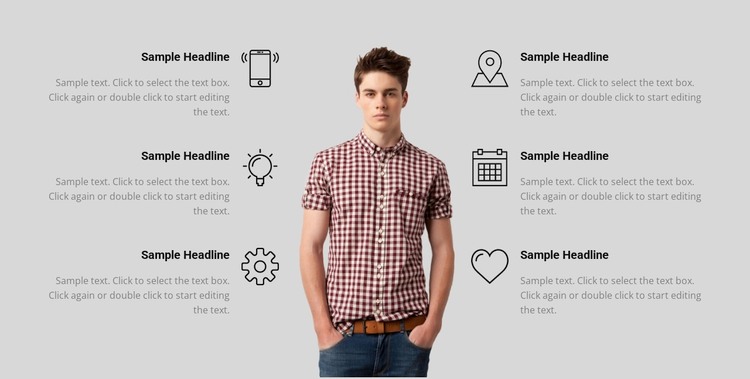
The central portrait serves as the visual anchor for six repeated feature items, making the section suitable for stable page content in a WordPress-managed project. Three items occupy the left side and three occupy the right, so the block can present a balanced set of capabilities or benefits without relying on a long, single-column list. The two groups remain visually connected because the left text faces inward through right alignment and the right text mirrors it with left alignment.
Every repeated item uses the same pattern: a circular line-style icon, a heading with stronger visual weight, and supporting text in a smaller gray treatment. This consistent structure helps a reader scan the six feature labels first and then move into the accompanying explanations. The single image in the middle breaks up the text and gives the section a distinct content focus, while the light gray background keeps the complete arrangement visually unified.
For WordPress-oriented page content, the block can provide a reusable features area that remains separate from changing editorial material elsewhere in the site. It can sit within a broader page while other content regions handle introductions, detailed explanations, or contact actions. The block's value here comes from its repeatable presentation pattern: six related items receive equal visual importance, yet the portrait prevents the section from becoming a dense text grid.
Customize with Nicepage
Open this ready-made template in the WordPress Website Builder and customize it visually in the Nicepage editor. Replace demo content, edit page sections, and adapt the design to your project without rebuilding the template from scratch.
Edit Template Offline
2. Create a new page or select existing
3. Click Add new block, search for id 86161 and click enter
Edit Template Online
Create Awesome Websites


Free Nicepage Builder
Keywords
Manage and Edit This Theme in WordPress
Customize and Install the WordPress Theme
Start with this ready-made theme instead of building the WordPress design from scratch. Customize its layout, content, typography, images, sections, and other design elements visually in Nicepage editor, then export and install the WordPress Theme, Plugin, and Pages on your WordPress site. The Nicepage WordPress Plugin lets you continue working with the site after installation.
Edit the Theme Directly in WordPress
After installation, you can edit the WordPress Theme directly in WordPress with the Nicepage WordPress Plugin. Use Site Style to customize site Colors, Fonts, Header, Footer, Blog, and Post Page Templates while working within your WordPress website.
Edit WordPress Pages Visually
Use the Nicepage WordPress Plugin to edit page content directly from the WordPress admin area. Open a WordPress Page with Nicepage and visually change its text, images, sections, and other page elements while continuing to manage the Page through WordPress.
WordPress Content and Theme Integration
Use the customized theme with WordPress Pages, Posts, Blog and Post Templates, menus, widgets, and other CMS-managed content. Shared theme elements such as Colors, Fonts, Header, Footer, Blog, and Post Page Templates can be managed as part of the overall site design, while WordPress provides the CMS environment for managing site content.
This workflow combines a ready-made WordPress Theme with visual customization, direct theme editing in WordPress, and continued content management through the Nicepage WordPress Plugin.