About business coach WordPress Theme



Biography Content That Fits a WordPress-Managed About Section
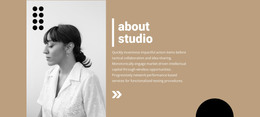
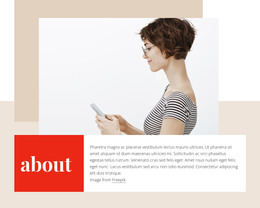
The left column reads as stable page content: one biographical paragraph introducing a creative professional through education, experience, and a location detail. References to photography and marketing degrees explain the subject’s combined creative and commercial background, while the mention of moving to Stirling at the end of 2017 gives the profile a specific point in time. The right-side portrait keeps the section personal and visually immediate, and the overlaid “about designer” heading makes its purpose clear before the paragraph is read.
In a WordPress-managed site, this block can occupy a permanent about or profile area while other content is maintained around it. Its content model is intentionally compact rather than editorially repetitive: one subject, one paragraph, and one image. That makes it suitable for a page section that should remain visually consistent even as portfolio entries, service information, or other site content change elsewhere.
The white background and black vertical accent help the section hold its identity within a wider theme, while the two-column arrangement keeps text and portrait distinct. The block is not a standalone WordPress Theme; it is a publishable content region whose biography and image can participate in a broader managed page without requiring the surrounding project to adopt the same structure everywhere.
Customize with Nicepage
Open this ready-made template in the WordPress Website Builder and customize it visually in the Nicepage editor. Replace demo content, edit page sections, and adapt the design to your project without rebuilding the template from scratch.
Edit Template Offline
2. Create a new page or select existing
3. Click Add new block, search for id 75074 and click enter
Edit Template Online
Create Awesome Websites


Free Nicepage Builder
Keywords
Manage and Edit This Theme in WordPress
Customize and Install the WordPress Theme
Start with this ready-made theme instead of building the WordPress design from scratch. Customize its layout, content, typography, images, sections, and other design elements visually in Nicepage editor, then export and install the WordPress Theme, Plugin, and Pages on your WordPress site. The Nicepage WordPress Plugin lets you continue working with the site after installation.
Edit the Theme Directly in WordPress
After installation, you can edit the WordPress Theme directly in WordPress with the Nicepage WordPress Plugin. Use Site Style to customize site Colors, Fonts, Header, Footer, Blog, and Post Page Templates while working within your WordPress website.
Edit WordPress Pages Visually
Use the Nicepage WordPress Plugin to edit page content directly from the WordPress admin area. Open a WordPress Page with Nicepage and visually change its text, images, sections, and other page elements while continuing to manage the Page through WordPress.
WordPress Content and Theme Integration
Use the customized theme with WordPress Pages, Posts, Blog and Post Templates, menus, widgets, and other CMS-managed content. Shared theme elements such as Colors, Fonts, Header, Footer, Blog, and Post Page Templates can be managed as part of the overall site design, while WordPress provides the CMS environment for managing site content.
This workflow combines a ready-made WordPress Theme with visual customization, direct theme editing in WordPress, and continued content management through the Nicepage WordPress Plugin.