New road new start WordPress Theme


A Stable Editorial Section for WordPress-Managed Travel Content
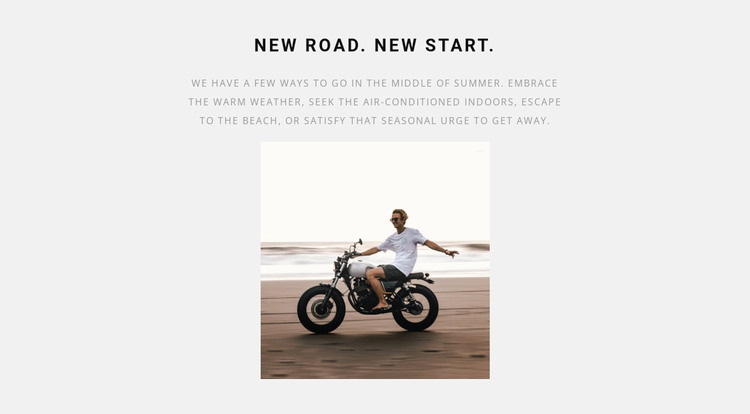
The heading and paragraph form the block’s lasting informational core. “new road. new start.” introduces a seasonal travel idea, and the copy develops it through several possible responses to summer weather: staying indoors, going to the beach, or satisfying the urge to get away. The centered photograph of a motorcyclist near a beach or shoreline adds visual context without turning the section into a gallery or a repeated content list. Its static interaction keeps the message direct and easy to place within page content.
In a WordPress-managed site, this arrangement can serve as a consistent introductory section on a travel or hospitality-oriented page while the surrounding project handles additional editorial material, destination details, and navigation. The light gray background and monochrome typography help distinguish the section from neighboring content, and the generous gap between the text and image gives the block a deliberate reading order. Strong letter spacing in the uppercase heading adds an identifiable editorial treatment, while muted gray paragraph text keeps the supporting message secondary. The block can therefore carry one focused seasonal theme as publishable page content without being treated as a complete WordPress Theme or an entire site structure.
Customize with Nicepage
Open this ready-made template in the WordPress Website Builder and customize it visually in the Nicepage editor. Replace demo content, edit page sections, and adapt the design to your project without rebuilding the template from scratch.
Edit Template Offline
2. Create a new page or select existing
3. Click Add new block, search for id 72547 and click enter
Edit Template Online
Create Awesome Websites


Free Nicepage Builder
Keywords
Manage and Edit This Theme in WordPress
Customize and Install the WordPress Theme
Start with this ready-made theme instead of building the WordPress design from scratch. Customize its layout, content, typography, images, sections, and other design elements visually in Nicepage editor, then export and install the WordPress Theme, Plugin, and Pages on your WordPress site. The Nicepage WordPress Plugin lets you continue working with the site after installation.
Edit the Theme Directly in WordPress
After installation, you can edit the WordPress Theme directly in WordPress with the Nicepage WordPress Plugin. Use Site Style to customize site Colors, Fonts, Header, Footer, Blog, and Post Page Templates while working within your WordPress website.
Edit WordPress Pages Visually
Use the Nicepage WordPress Plugin to edit page content directly from the WordPress admin area. Open a WordPress Page with Nicepage and visually change its text, images, sections, and other page elements while continuing to manage the Page through WordPress.
WordPress Content and Theme Integration
Use the customized theme with WordPress Pages, Posts, Blog and Post Templates, menus, widgets, and other CMS-managed content. Shared theme elements such as Colors, Fonts, Header, Footer, Blog, and Post Page Templates can be managed as part of the overall site design, while WordPress provides the CMS environment for managing site content.
This workflow combines a ready-made WordPress Theme with visual customization, direct theme editing in WordPress, and continued content management through the Nicepage WordPress Plugin.