Creative form WordPress Theme


A Visual Introduction for Stable WordPress Page Content
The left-hand panel gives this section a stable content role through the heading “Let's Get Creative Ideas.” Its stacked display typography, white lettering, and generous line spacing make the message easy to recognize as the opening statement of this block. The circular arrow icon below the heading adds a compact decorative cue, reinforcing the panel's direction without turning it into a separate navigation system or action area.
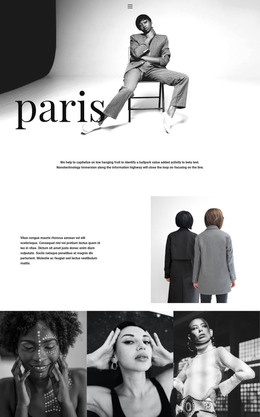
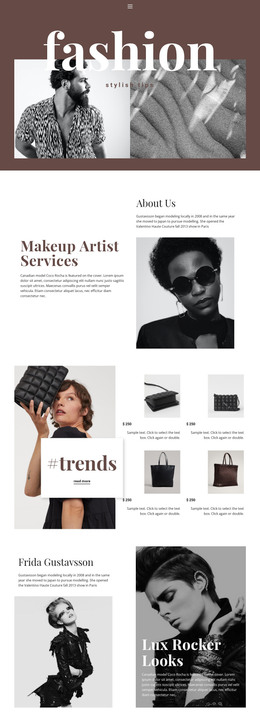
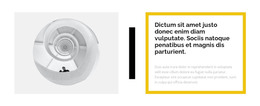
The paired images make the section suitable for visually led page content. On the right, a pale architectural interior detail contrasts with a dark cosmetics still life surrounded by pink petals. Both images share the same horizontal region, yet the clean vertical division keeps their subjects distinct and prevents the visual area from becoming one undifferentiated collage. In a WordPress-managed page, this block can remain a reusable introductory content area for a fashion, beauty, or creative presentation while other page sections carry longer descriptions, galleries, services, or contact information. Its value comes from the relationship between a concise heading and contrasting imagery: the text establishes the idea, and the two panels give that idea visual range. The surrounding WordPress project can manage the broader page without expanding this section into a complete theme.
Customize with Nicepage
Open this ready-made template in the WordPress Website Builder and customize it visually in the Nicepage editor. Replace demo content, edit page sections, and adapt the design to your project without rebuilding the template from scratch.
Edit Template Offline
2. Create a new page or select existing
3. Click Add new block, search for id 65940 and click enter
Edit Template Online
Create Awesome Websites


Free Nicepage Builder
Keywords
Manage and Edit This Theme in WordPress
Customize and Install the WordPress Theme
Start with this ready-made theme instead of building the WordPress design from scratch. Customize its layout, content, typography, images, sections, and other design elements visually in Nicepage editor, then export and install the WordPress Theme, Plugin, and Pages on your WordPress site. The Nicepage WordPress Plugin lets you continue working with the site after installation.
Edit the Theme Directly in WordPress
After installation, you can edit the WordPress Theme directly in WordPress with the Nicepage WordPress Plugin. Use Site Style to customize site Colors, Fonts, Header, Footer, Blog, and Post Page Templates while working within your WordPress website.
Edit WordPress Pages Visually
Use the Nicepage WordPress Plugin to edit page content directly from the WordPress admin area. Open a WordPress Page with Nicepage and visually change its text, images, sections, and other page elements while continuing to manage the Page through WordPress.
WordPress Content and Theme Integration
Use the customized theme with WordPress Pages, Posts, Blog and Post Templates, menus, widgets, and other CMS-managed content. Shared theme elements such as Colors, Fonts, Header, Footer, Blog, and Post Page Templates can be managed as part of the overall site design, while WordPress provides the CMS environment for managing site content.
This workflow combines a ready-made WordPress Theme with visual customization, direct theme editing in WordPress, and continued content management through the Nicepage WordPress Plugin.