Consistency management WordPress Theme


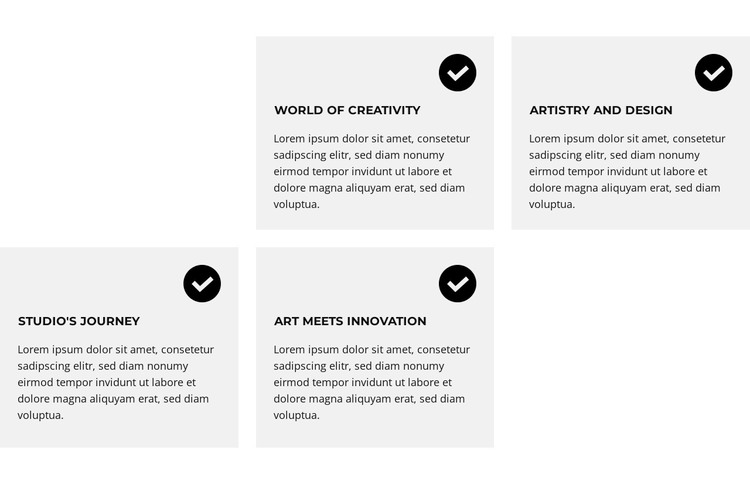
Four Feature Cards Create Stable Page Content
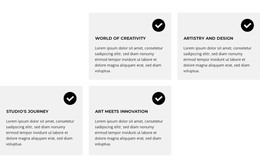
The four cards read as a stable informational section rather than a time-sensitive content stream. World of Creativity, Artistry and Design, Studio's Journey, and Art Meets Innovation provide distinct feature labels, while the repeated circular icons and supporting paragraphs give each item the same content pattern. In a WordPress-managed page, this structure can hold lasting feature or concept information that remains visually consistent as the surrounding site develops.
The staggered arrangement gives that page content a recognizable presentation. Two light gray cards occupy each row, with offset white cells creating open intervals between them. This differs from a standard aligned card grid and helps separate the four ideas without adding interaction. Black circular icons, bold uppercase headings, and compact dark text establish a predictable reading order inside every card, so visitors can scan the labels before considering the supporting copy.
As one section within a WordPress-oriented project, the block could support a broader creative, design, or presentation page while other content areas provide introductions, detailed explanations, portfolios, or contact information. The sample paragraphs can be replaced with the site's own copy, but the four-item hierarchy and visual rhythm can remain intact. Its value in this context is the combination of durable page content and a repeatable layout, not the presence of a complete theme or CMS structure.
Customize with Nicepage
Open this ready-made template in the WordPress Website Builder and customize it visually in the Nicepage editor. Replace demo content, edit page sections, and adapt the design to your project without rebuilding the template from scratch.
Edit Template Offline
2. Create a new page or select existing
3. Click Add new block, search for id 6343854 and click enter
Edit Template Online
Create Awesome Websites


Free Nicepage Builder
Keywords
Manage and Edit This Theme in WordPress
Customize and Install the WordPress Theme
Start with this ready-made theme instead of building the WordPress design from scratch. Customize its layout, content, typography, images, sections, and other design elements visually in Nicepage editor, then export and install the WordPress Theme, Plugin, and Pages on your WordPress site. The Nicepage WordPress Plugin lets you continue working with the site after installation.
Edit the Theme Directly in WordPress
After installation, you can edit the WordPress Theme directly in WordPress with the Nicepage WordPress Plugin. Use Site Style to customize site Colors, Fonts, Header, Footer, Blog, and Post Page Templates while working within your WordPress website.
Edit WordPress Pages Visually
Use the Nicepage WordPress Plugin to edit page content directly from the WordPress admin area. Open a WordPress Page with Nicepage and visually change its text, images, sections, and other page elements while continuing to manage the Page through WordPress.
WordPress Content and Theme Integration
Use the customized theme with WordPress Pages, Posts, Blog and Post Templates, menus, widgets, and other CMS-managed content. Shared theme elements such as Colors, Fonts, Header, Footer, Blog, and Post Page Templates can be managed as part of the overall site design, while WordPress provides the CMS environment for managing site content.
This workflow combines a ready-made WordPress Theme with visual customization, direct theme editing in WordPress, and continued content management through the Nicepage WordPress Plugin.