Volvo WordPress Theme


Edit Template Offline
2. Create new page and search for id 19425
Edit Template Online
Create Awesome Websites


Free Nicepage Builder
Keywords
Page-Based Review Content Gives the XC60 Theme a Clear WordPress Role
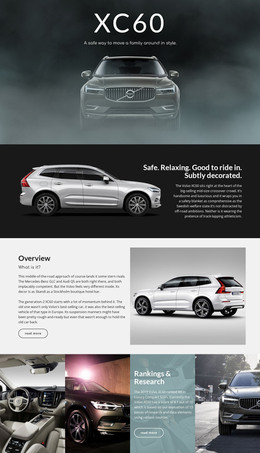
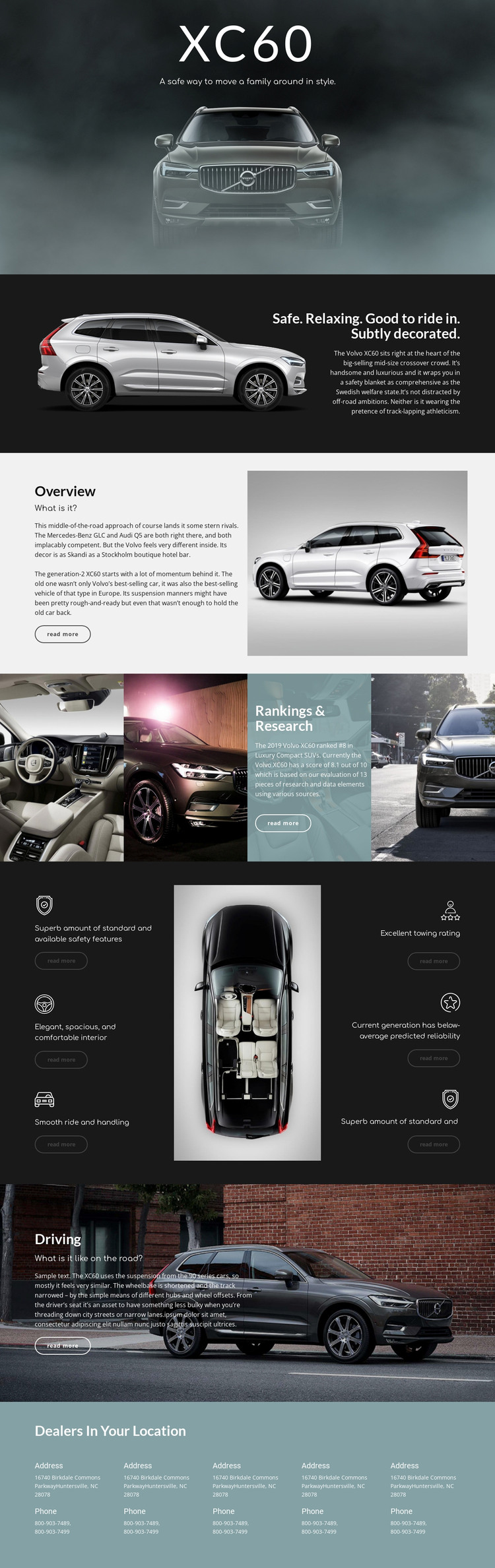
The page contains several durable content areas that can be understood as permanent vehicle information. The opening XC60 section and primary overview establish the subject, while the second Overview section adds background, rivals, and previous-generation context. These page-oriented areas give the design a stable informational core before the research and evaluation content begins. The four-image Rankings & Research composition can then support evidence-led presentation, while the six repeated statements provide separate units for safety, interior comfort, ride and handling, towing, reliability, and another evaluation point.
The Driving section adds a focused narrative area about road experience, and the final dealer block supplies location-specific contact details. If a project later publishes related automotive material, these permanent sections could remain visually connected to regularly updated content without changing the core character of the theme. That interpretation does not claim that WordPress Posts, categories, or blog structures already exist in this template. Instead, it maps the verified page content to a WordPress-managed environment: vehicle information can remain page-oriented, repeated review units can be maintained as consistent content areas, and dealer details can be updated within the same visual system. The dark photography, editorial headings, and outlined read-more actions provide continuity for that broader content environment.
Customize with Nicepage
Open this ready-made template in the WordPress Website Builder and customize it visually in the Nicepage editor. Replace demo content, edit page sections, and adapt the design to your project without rebuilding the template from scratch.
Manage and Edit This Theme in WordPress
Customize and Install the WordPress Theme
Start with this ready-made theme instead of building the WordPress design from scratch. Customize its layout, content, typography, images, sections, and other design elements visually in Nicepage editor, then export and install the WordPress Theme, Plugin, and Pages on your WordPress site. The Nicepage WordPress Plugin lets you continue working with the site after installation.
Edit the Theme Directly in WordPress
After installation, you can edit the WordPress Theme directly in WordPress with the Nicepage WordPress Plugin. Use Site Style to customize site Colors, Fonts, Header, Footer, Blog, and Post Page Templates while working within your WordPress website.
Edit WordPress Pages Visually
Use the Nicepage WordPress Plugin to edit page content directly from the WordPress admin area. Open a WordPress Page with Nicepage and visually change its text, images, sections, and other page elements while continuing to manage the Page through WordPress.
WordPress Content and Theme Integration
Use the customized theme with WordPress Pages, Posts, Blog and Post Templates, menus, widgets, and other CMS-managed content. Shared theme elements such as Colors, Fonts, Header, Footer, Blog, and Post Page Templates can be managed as part of the overall site design, while WordPress provides the CMS environment for managing site content.
This workflow combines a ready-made WordPress Theme with visual customization, direct theme editing in WordPress, and continued content management through the Nicepage WordPress Plugin.