Car wash services in New York WordPress Theme

Edit Template Offline
2. Create new page and search for id 6329509
Edit Template Online
Create Awesome Websites


Free Nicepage Builder
Keywords
Package Cards and Editorial Sections Map Naturally to WordPress Content
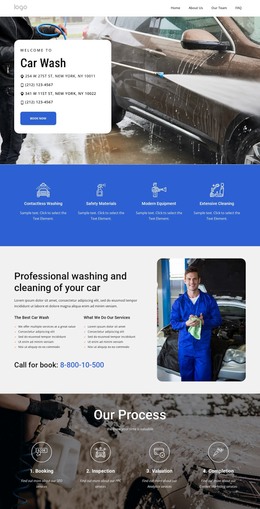
The six wash package cards provide the clearest page-oriented content area in this design. Each card groups a service name, displayed price, description, and Learn More action, making the package area distinct from the surrounding explanatory sections. The four process stages and the professional-washing content add permanent service information, while the hero and feature band establish the shared visual context in which those page sections appear.
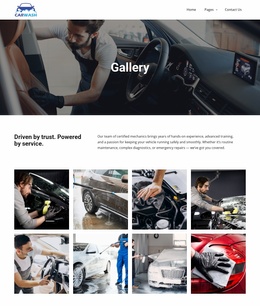
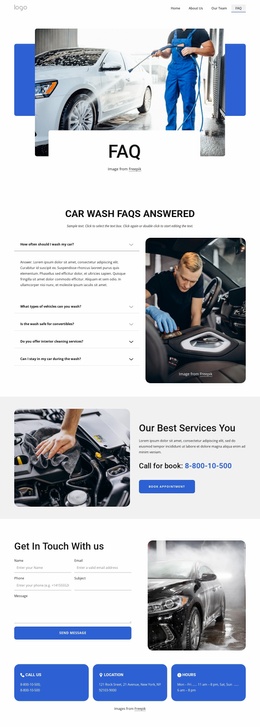
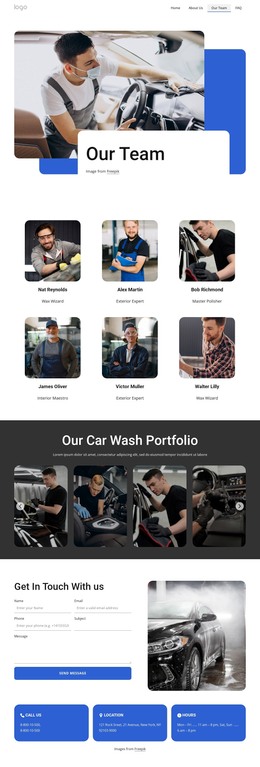
The portfolio gallery, testimonials, FAQ list, and team profiles create repeated content patterns that can be interpreted as additional managed content areas in a WordPress project. The gallery presents vehicle-care imagery, the testimonials use four repeated quote cards, the FAQ uses five questions, and the team area contains six profile units. These are verified design structures, not proof that WordPress Posts, categories, or blog templates already exist. They can instead guide how permanent page content or future published material is organized around the theme.
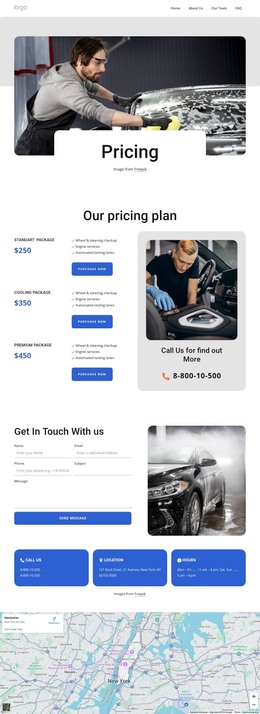
The contact form, contact-information cards, map, and footer complete the practical site presentation. In a WordPress-managed website, the design can keep these shared elements visually coordinated while business content changes over time. The theme interpretation therefore centers on reusable page areas and repeated content relationships rather than on a generic CMS label. Demo names, prices, phone numbers, addresses, and testimonials remain sample values requiring replacement.
Customize with Nicepage
Open this ready-made template in the WordPress Website Builder and customize it visually in the Nicepage editor. Replace demo content, edit page sections, and adapt the design to your project without rebuilding the template from scratch.
Manage and Edit This Theme in WordPress
Customize and Install the WordPress Theme
Start with this ready-made theme instead of building the WordPress design from scratch. Customize its layout, content, typography, images, sections, and other design elements visually in Nicepage editor, then export and install the WordPress Theme, Plugin, and Pages on your WordPress site. The Nicepage WordPress Plugin lets you continue working with the site after installation.
Edit the Theme Directly in WordPress
After installation, you can edit the WordPress Theme directly in WordPress with the Nicepage WordPress Plugin. Use Site Style to customize site Colors, Fonts, Header, Footer, Blog, and Post Page Templates while working within your WordPress website.
Edit WordPress Pages Visually
Use the Nicepage WordPress Plugin to edit page content directly from the WordPress admin area. Open a WordPress Page with Nicepage and visually change its text, images, sections, and other page elements while continuing to manage the Page through WordPress.
WordPress Content and Theme Integration
Use the customized theme with WordPress Pages, Posts, Blog and Post Templates, menus, widgets, and other CMS-managed content. Shared theme elements such as Colors, Fonts, Header, Footer, Blog, and Post Page Templates can be managed as part of the overall site design, while WordPress provides the CMS environment for managing site content.
This workflow combines a ready-made WordPress Theme with visual customization, direct theme editing in WordPress, and continued content management through the Nicepage WordPress Plugin.