We provide high quality car detailing WordPress Theme


Stable Service Content for a WordPress-Managed Page
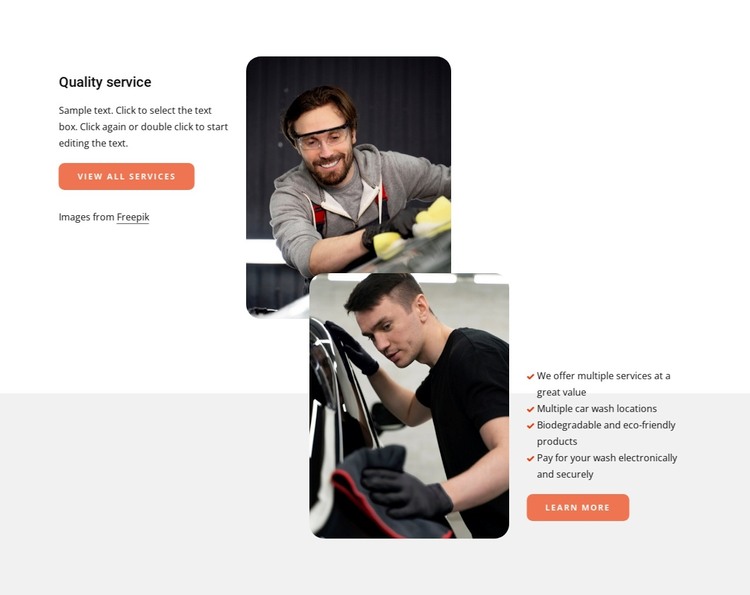
The block’s heading, paragraph, and two action labels give it the character of lasting services information rather than a time-sensitive update. “Quality service” introduces the subject, “View all services” offers a route toward broader information, and “Learn more” follows the four listed benefits. The lower statements include service details such as multiple locations, biodegradable and eco-friendly products, and electronic payment, giving the page section several concrete points to retain and edit as content develops.
Its two-row structure also suits a stable page layout. The upper row pairs introductory copy with a rounded portrait image, while the lower row reverses the image position and places the benefit list on the right. The images overlap near the center, linking the rows without requiring a carousel or other dynamic component. White and light-gray backgrounds separate the stages, and coral accents keep the actions and list markers visually related.
Inside a WordPress-managed site, this section can remain part of a services page while the wider project handles additional pages and publishing needs. The content can be maintained as a coherent visual area, with the two CTAs preserving their distinct roles. Nicepage’s WordPress workflow can support editing page content in the CMS context, but the useful interpretation here is the block’s durable service grouping and its ability to remain visually consistent as surrounding site content grows.
Customize with Nicepage
Open this ready-made template in the WordPress Website Builder and customize it visually in the Nicepage editor. Replace demo content, edit page sections, and adapt the design to your project without rebuilding the template from scratch.
Edit Template Offline
2. Create a new page or select existing
3. Click Add new block, search for id 6329506 and click enter
Edit Template Online
Create Awesome Websites


Free Nicepage Builder
Keywords
Manage and Edit This Theme in WordPress
Customize and Install the WordPress Theme
Start with this ready-made theme instead of building the WordPress design from scratch. Customize its layout, content, typography, images, sections, and other design elements visually in Nicepage editor, then export and install the WordPress Theme, Plugin, and Pages on your WordPress site. The Nicepage WordPress Plugin lets you continue working with the site after installation.
Edit the Theme Directly in WordPress
After installation, you can edit the WordPress Theme directly in WordPress with the Nicepage WordPress Plugin. Use Site Style to customize site Colors, Fonts, Header, Footer, Blog, and Post Page Templates while working within your WordPress website.
Edit WordPress Pages Visually
Use the Nicepage WordPress Plugin to edit page content directly from the WordPress admin area. Open a WordPress Page with Nicepage and visually change its text, images, sections, and other page elements while continuing to manage the Page through WordPress.
WordPress Content and Theme Integration
Use the customized theme with WordPress Pages, Posts, Blog and Post Templates, menus, widgets, and other CMS-managed content. Shared theme elements such as Colors, Fonts, Header, Footer, Blog, and Post Page Templates can be managed as part of the overall site design, while WordPress provides the CMS environment for managing site content.
This workflow combines a ready-made WordPress Theme with visual customization, direct theme editing in WordPress, and continued content management through the Nicepage WordPress Plugin.