Fastest taxi cars WordPress Theme


Edit Template Offline
2. Create new page and search for id 19018
Edit Template Online
Create Awesome Websites


Free Nicepage Builder
Keywords
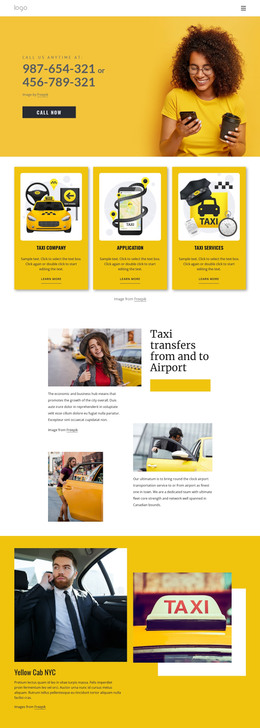
Page Content, Ride Choices, and Customer Proof Fit a Taxi Theme Structure
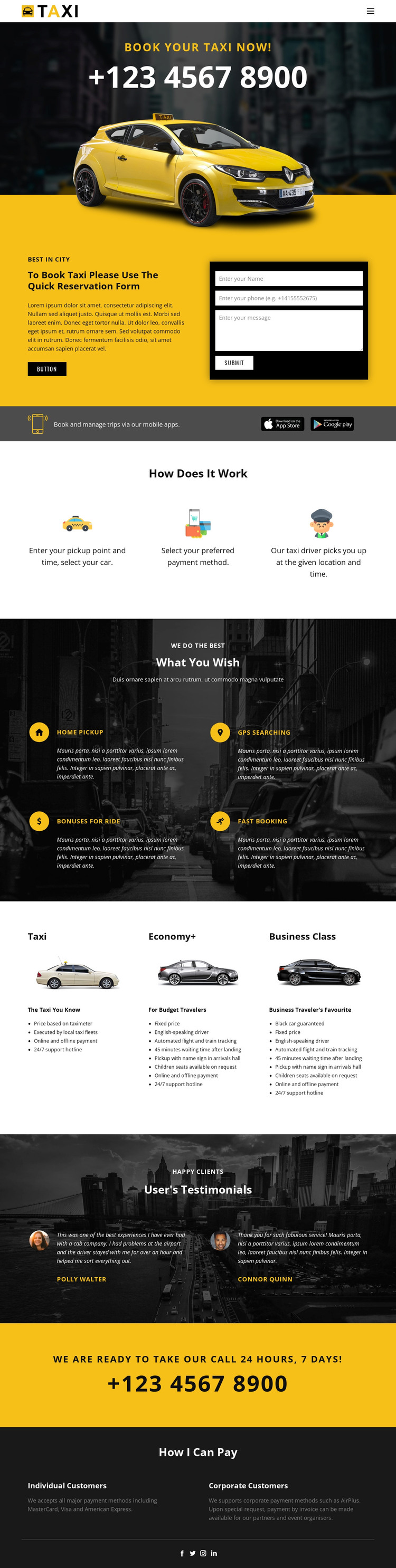
The page-oriented content is easy to separate into meaningful WordPress-managed areas without changing the visual character of the design. The hero can serve as the primary taxi-service introduction, while the reservation section provides permanent page content and a direct form for name, phone, and message information. The mobile app callouts add supporting service information that can remain visually connected to the booking message.
The three process steps and four feature highlights give the theme several structured informational groups. Pickup details, payment selection, and driver pickup explain the service sequence, while home pickup, GPS searching, ride bonuses, and fast booking describe the supporting offer. The Taxi, Economy+, and Business Class cards are a distinct repeated-content pattern: they can represent comparable ride choices while preserving the shared card treatment and allowing each category’s details to change independently.
The testimonials and footer create another content relationship. Two customer quotations and portraits provide a proof-oriented area, while the payment section distinguishes individual and corporate customers and names MasterCard, Visa, American Express, and AirPlus. If the project later adds regularly updated announcements or other editorial material, it can be placed around these permanent service areas rather than replacing them. The Nicepage WordPress Plugin is a potential bridge for editing the theme and page content in WordPress, but the verified value here comes from the design’s existing content structure.
Customize with Nicepage
Open this ready-made template in the WordPress Website Builder and customize it visually in the Nicepage editor. Replace demo content, edit page sections, and adapt the design to your project without rebuilding the template from scratch.
Manage and Edit This Theme in WordPress
Customize and Install the WordPress Theme
Start with this ready-made theme instead of building the WordPress design from scratch. Customize its layout, content, typography, images, sections, and other design elements visually in Nicepage editor, then export and install the WordPress Theme, Plugin, and Pages on your WordPress site. The Nicepage WordPress Plugin lets you continue working with the site after installation.
Edit the Theme Directly in WordPress
After installation, you can edit the WordPress Theme directly in WordPress with the Nicepage WordPress Plugin. Use Site Style to customize site Colors, Fonts, Header, Footer, Blog, and Post Page Templates while working within your WordPress website.
Edit WordPress Pages Visually
Use the Nicepage WordPress Plugin to edit page content directly from the WordPress admin area. Open a WordPress Page with Nicepage and visually change its text, images, sections, and other page elements while continuing to manage the Page through WordPress.
WordPress Content and Theme Integration
Use the customized theme with WordPress Pages, Posts, Blog and Post Templates, menus, widgets, and other CMS-managed content. Shared theme elements such as Colors, Fonts, Header, Footer, Blog, and Post Page Templates can be managed as part of the overall site design, while WordPress provides the CMS environment for managing site content.
This workflow combines a ready-made WordPress Theme with visual customization, direct theme editing in WordPress, and continued content management through the Nicepage WordPress Plugin.