The full-service storage with pickup and delivery WordPress Theme

Edit Template Offline
2. Create new page and search for id 3522471
Edit Template Online
Create Awesome Websites


Free Nicepage Builder
Keywords
Permanent Service Content Leaves Space for WordPress Publishing
The page-oriented content is especially clear in the separation between permanent company information and recurring service explanations. The About Us area introduces capabilities through Development, Design projects, and New materials, while the six-card section organizes International Shipping, Access & Discover, One Stop Shop, Unrivalled Product Range, Transparent Pricing, and Personalized Service. These are distinct content areas that can remain part of a consistent theme while their wording, images, and supporting material evolve.
The logistics, storage, and refurbishment section adds a more operational page region, with packaging and transport presented beside a large image and an overlapping information panel. Innovation, value, and mission sections then provide broader editorial context around the services. If a project later publishes announcements or other regularly updated material, those additions could sit alongside the established page content; the template itself does not prove that blog posts or categories already exist.
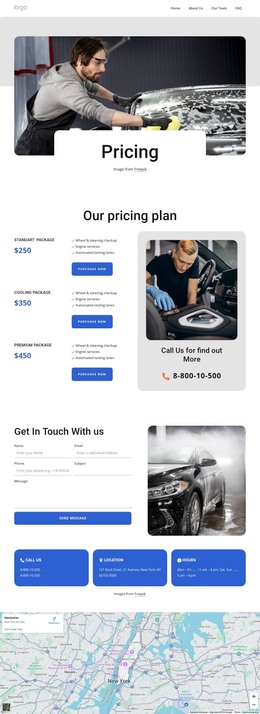
The closing contact area gives the theme a clear customer-facing endpoint. A name-and-email form, Submit action, and separate Find Us, Hours, and Call Us columns keep inquiry content distinct from the service explanation. WordPress can therefore serve as the content environment around a design that already distinguishes company information, service areas, operational detail, and contact content, without requiring CMS terminology to replace the template’s actual structure.
Customize with Nicepage
Open this ready-made template in the WordPress Website Builder and customize it visually in the Nicepage editor. Replace demo content, edit page sections, and adapt the design to your project without rebuilding the template from scratch.
Manage and Edit This Theme in WordPress
Customize and Install the WordPress Theme
Start with this ready-made theme instead of building the WordPress design from scratch. Customize its layout, content, typography, images, sections, and other design elements visually in Nicepage editor, then export and install the WordPress Theme, Plugin, and Pages on your WordPress site. The Nicepage WordPress Plugin lets you continue working with the site after installation.
Edit the Theme Directly in WordPress
After installation, you can edit the WordPress Theme directly in WordPress with the Nicepage WordPress Plugin. Use Site Style to customize site Colors, Fonts, Header, Footer, Blog, and Post Page Templates while working within your WordPress website.
Edit WordPress Pages Visually
Use the Nicepage WordPress Plugin to edit page content directly from the WordPress admin area. Open a WordPress Page with Nicepage and visually change its text, images, sections, and other page elements while continuing to manage the Page through WordPress.
WordPress Content and Theme Integration
Use the customized theme with WordPress Pages, Posts, Blog and Post Templates, menus, widgets, and other CMS-managed content. Shared theme elements such as Colors, Fonts, Header, Footer, Blog, and Post Page Templates can be managed as part of the overall site design, while WordPress provides the CMS environment for managing site content.
This workflow combines a ready-made WordPress Theme with visual customization, direct theme editing in WordPress, and continued content management through the Nicepage WordPress Plugin.