Complete building services WordPress Theme


Stable Metrics for WordPress-Managed Page Content
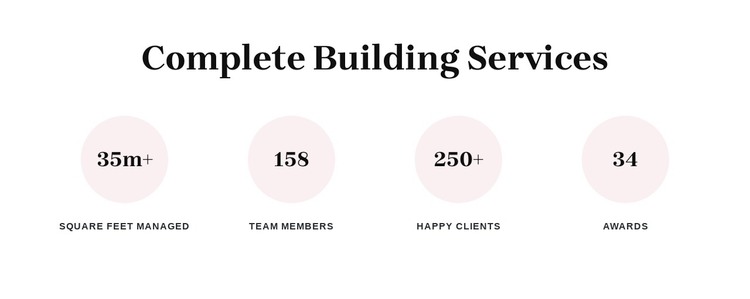
The four counter units provide a compact page-content pattern for information that benefits from direct comparison. “Complete Building Services” acts as the section heading, while the repeated circles give each metric equal visual weight. The values are paired with labels for square feet managed, team members, happy clients, and awards, so the meaning of each number remains attached to its corresponding content. The horizontal alignment and generous whitespace make the group easy to scan as one summary.
In a WordPress-managed site, this block can function as stable content on a services or company-information page while the wider project manages other page areas separately. The figures shown in the design, including 35m+, 158, 250+, and 34, are sample counter entries that can be replaced with the project’s own content rather than treated as established business results. Since the interaction is static, the section does not depend on visitors opening panels or advancing slides; all four units remain available in the same view. That makes the block useful for a persistent metrics region alongside longer service descriptions, project material, or a separate contact section. Its repeated structure also gives the page a recognizable summary point without turning the section into a complete theme or site.
Customize with Nicepage
Open this ready-made template in the WordPress Website Builder and customize it visually in the Nicepage editor. Replace demo content, edit page sections, and adapt the design to your project without rebuilding the template from scratch.
Edit Template Offline
2. Create a new page or select existing
3. Click Add new block, search for id 6276500 and click enter
Edit Template Online
Create Awesome Websites


Free Nicepage Builder
Keywords
Manage and Edit This Theme in WordPress
Customize and Install the WordPress Theme
Start with this ready-made theme instead of building the WordPress design from scratch. Customize its layout, content, typography, images, sections, and other design elements visually in Nicepage editor, then export and install the WordPress Theme, Plugin, and Pages on your WordPress site. The Nicepage WordPress Plugin lets you continue working with the site after installation.
Edit the Theme Directly in WordPress
After installation, you can edit the WordPress Theme directly in WordPress with the Nicepage WordPress Plugin. Use Site Style to customize site Colors, Fonts, Header, Footer, Blog, and Post Page Templates while working within your WordPress website.
Edit WordPress Pages Visually
Use the Nicepage WordPress Plugin to edit page content directly from the WordPress admin area. Open a WordPress Page with Nicepage and visually change its text, images, sections, and other page elements while continuing to manage the Page through WordPress.
WordPress Content and Theme Integration
Use the customized theme with WordPress Pages, Posts, Blog and Post Templates, menus, widgets, and other CMS-managed content. Shared theme elements such as Colors, Fonts, Header, Footer, Blog, and Post Page Templates can be managed as part of the overall site design, while WordPress provides the CMS environment for managing site content.
This workflow combines a ready-made WordPress Theme with visual customization, direct theme editing in WordPress, and continued content management through the Nicepage WordPress Plugin.