Naturalness in fashion WordPress Theme


The Academy Introduction Provides Stable WordPress Page Content
The “Fashion & Design Academy” heading gives this section a clear, durable subject for a WordPress-managed page. Beneath it, one supporting paragraph adds room for a short explanation, while the yellow “Read more” button creates a route toward fuller information elsewhere in the surrounding project. Together, these elements make the block read as permanent introductory content rather than a collection of changing entries or a list of posts.
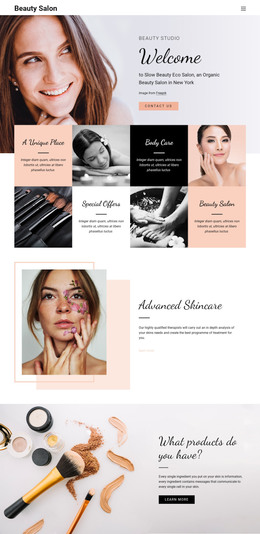
The visual arrangement reinforces that page-content role. A full-width photograph showing a face partly obscured by green leaves supplies the atmospheric setting, and the upper-left text overlay keeps the academy message grouped in one easy-to-find area. White serif typography contrasts with the darker image, while generous open space around the overlay prevents the paragraph and button from becoming visually crowded. The yellow circular accent in the lower-right adds a separate point of balance without interrupting the content hierarchy.
Within a WordPress-oriented project, this block can occupy a stable introductory area on a page while the broader site manages additional content around it. Related pages or sections may present courses, fashion work, news, or contact details, but this block retains the concise identity-setting function established by its heading, paragraph, image, and Read more destination. It contributes a recognizable visual section without becoming a complete WordPress Theme.
Customize with Nicepage
Open this ready-made template in the WordPress Website Builder and customize it visually in the Nicepage editor. Replace demo content, edit page sections, and adapt the design to your project without rebuilding the template from scratch.
Edit Template Offline
2. Create a new page or select existing
3. Click Add new block, search for id 108122 and click enter
Edit Template Online
Create Awesome Websites


Free Nicepage Builder
Keywords
Use This Block in a WordPress-Managed Website
Keep the Block as Page Content
Use the block as one content/layout section inside a WordPress-oriented site rather than treating the Block ID as a complete WordPress Theme. Its verified text, images, repeated items, forms, galleries, or other elements can remain part of permanent page content while WordPress manages the wider site.
Work With Nicepage and WordPress
A Nicepage WordPress project can be installed using the WordPress Theme, Plugin, and Pages workflow. After installation, the same visual section can participate in WordPress-managed pages as part of the broader theme/site structure.
Continue Editing in WordPress
Nicepage supports editing the WordPress Theme directly in WordPress. Use WordPress Pages, Posts, Blog structures, and other CMS concepts only when they are relevant to the surrounding project; their existence must not be inferred from the analyzed block alone.
This workflow keeps the block's verified section function separate from the WordPress theme architecture while allowing it to participate in a CMS-managed website.