Our flower delivery team WordPress Theme


Portrait Profiles Form Stable WordPress Page Content
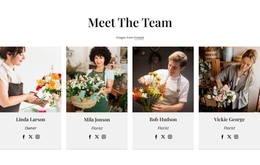
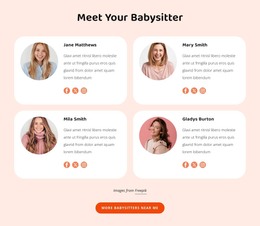
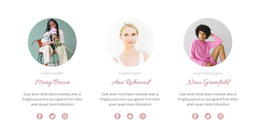
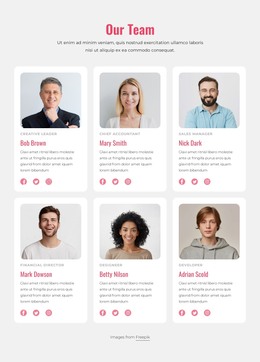
The centered “Meet The Team” heading and six repeated profiles read as stable page content for a WordPress-managed floral-services site. Each card presents a portrait first, followed by a name, an italic role label, and social-link icons represented by Facebook, Twitter or X, and Instagram. The Owner label distinguishes one profile, while the five Florist labels create a consistent role pattern across the remaining cards. Together, these details give the section a defined content purpose without requiring it to function as a complete page.
The three-column layout distributes the cards across two rows, making the team easy to scan as a grouped set. White card surfaces stand apart from the warm off-white background, and the dark serif typography keeps names and roles visually connected to the portrait presentation. This structure can remain a recognizable services-site section while other WordPress-managed pages or content areas provide delivery information, flower offerings, portfolio material, and contact details.
For a WordPress-oriented implementation, the block is best understood as reusable visual content for a stable team or About section. Its repeated card pattern gives the page a consistent people-focused area, while the surrounding WordPress project determines how this section relates to other content. The social icons add connection points beneath each profile without changing the block’s primary role of identifying the team.
Customize with Nicepage
Open this ready-made template in the WordPress Website Builder and customize it visually in the Nicepage editor. Replace demo content, edit page sections, and adapt the design to your project without rebuilding the template from scratch.
Edit Template Offline
2. Create a new page or select existing
3. Click Add new block, search for id 6349604 and click enter
Edit Template Online
Create Awesome Websites


Free Nicepage Builder
Keywords
Use This Block in a WordPress-Managed Website
Keep the Block as Page Content
Use the block as one content/layout section inside a WordPress-oriented site rather than treating the Block ID as a complete WordPress Theme. Its verified text, images, repeated items, forms, galleries, or other elements can remain part of permanent page content while WordPress manages the wider site.
Work With Nicepage and WordPress
A Nicepage WordPress project can be installed using the WordPress Theme, Plugin, and Pages workflow. After installation, the same visual section can participate in WordPress-managed pages as part of the broader theme/site structure.
Continue Editing in WordPress
Nicepage supports editing the WordPress Theme directly in WordPress. Use WordPress Pages, Posts, Blog structures, and other CMS concepts only when they are relevant to the surrounding project; their existence must not be inferred from the analyzed block alone.
This workflow keeps the block's verified section function separate from the WordPress theme architecture while allowing it to participate in a CMS-managed website.