We build experiences WordPress Theme


Four Capability Cards Create Stable Page Content
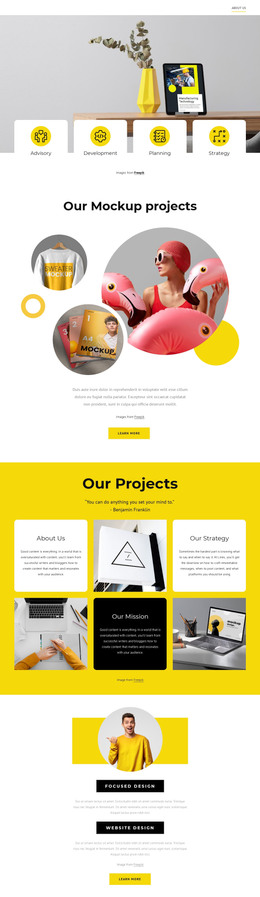
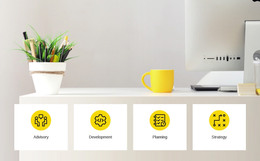
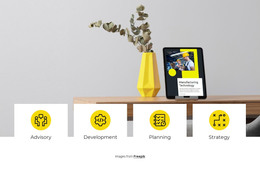
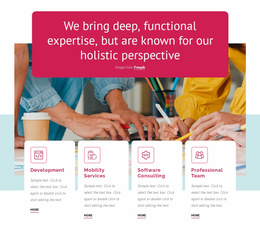
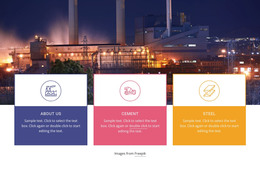
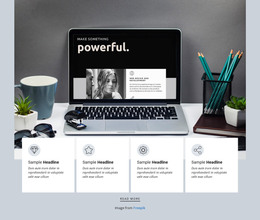
The four repeated cards turn the block into a compact area of stable page content. Advisory, Development, Planning, and Strategy are presented as distinct capability labels, while the shared white card format keeps them connected as one group. A circular icon above each label provides the same visual marker for every item, and the cards’ overlap with the wide photograph gives the section a clear relationship between contextual imagery and written offerings.
In a WordPress-managed page, this arrangement can serve as a permanent features or services section rather than time-sensitive editorial content. The four labels can introduce a broader consulting offer, while nearby page content handles detailed explanations, case studies, testimonials, or contact information. The block therefore contributes a defined content region without needing to represent the surrounding theme, page structure, or CMS architecture.
The horizontal row is useful when the page should keep several capabilities visible together for quick comparison. Its static presentation avoids reliance on sliders, tabs, or expandable controls, so visitors can read all four categories at once. The centered image credit remains part of this section’s visual source information and can stay beneath the cards when the block is placed within a WordPress page. The result is a recognizable page-content unit that can retain its visual arrangement while the wider site develops around it.
Customize with Nicepage
Open this ready-made template in the WordPress Website Builder and customize it visually in the Nicepage editor. Replace demo content, edit page sections, and adapt the design to your project without rebuilding the template from scratch.
Edit Template Offline
2. Create a new page or select existing
3. Click Add new block, search for id 566649 and click enter
Edit Template Online
Create Awesome Websites


Free Nicepage Builder
Keywords
Manage and Edit This Theme in WordPress
Customize and Install the WordPress Theme
Start with this ready-made theme instead of building the WordPress design from scratch. Customize its layout, content, typography, images, sections, and other design elements visually in Nicepage editor, then export and install the WordPress Theme, Plugin, and Pages on your WordPress site. The Nicepage WordPress Plugin lets you continue working with the site after installation.
Edit the Theme Directly in WordPress
After installation, you can edit the WordPress Theme directly in WordPress with the Nicepage WordPress Plugin. Use Site Style to customize site Colors, Fonts, Header, Footer, Blog, and Post Page Templates while working within your WordPress website.
Edit WordPress Pages Visually
Use the Nicepage WordPress Plugin to edit page content directly from the WordPress admin area. Open a WordPress Page with Nicepage and visually change its text, images, sections, and other page elements while continuing to manage the Page through WordPress.
WordPress Content and Theme Integration
Use the customized theme with WordPress Pages, Posts, Blog and Post Templates, menus, widgets, and other CMS-managed content. Shared theme elements such as Colors, Fonts, Header, Footer, Blog, and Post Page Templates can be managed as part of the overall site design, while WordPress provides the CMS environment for managing site content.
This workflow combines a ready-made WordPress Theme with visual customization, direct theme editing in WordPress, and continued content management through the Nicepage WordPress Plugin.