Secrets for a new style WordPress Theme


A Permanent Beauty Content Area With Image-Led Emphasis
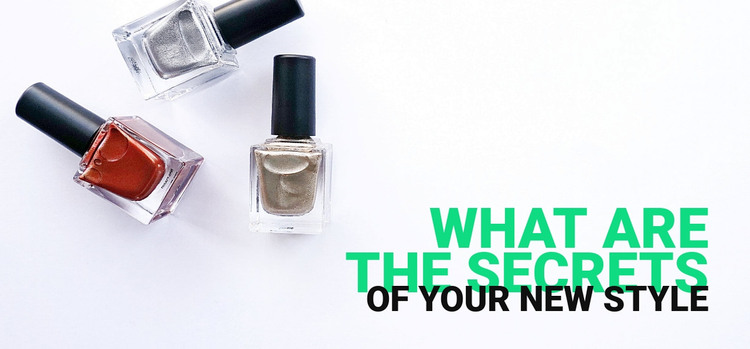
The product image gives this section its immediate subject: several nail polish bottles arranged within a wide, pale visual field. The overlaid heading “WHAT ARE THE SECRETS” provides the first textual focus, and “OF YOUR NEW STYLE” completes the thought as a supporting line. Bright green primary lettering contrasts with the light image, while black secondary lettering separates the second level without introducing another visual subject. The lower-right alignment gathers the message into a compact area and preserves open space around the products.
For WordPress-managed page content, this block can operate as a stable introductory section rather than as a time-sensitive post listing or a complete theme. Its content model is deliberately compact: one beauty product image, one primary heading, and one supporting line. That makes it suitable for a page that needs a clear opening statement before related text, product information, or other sections provide more detail. The block's static behavior keeps the emphasis on reading the message and understanding its connection to the image.
The section can also retain a consistent visual role when placed among other page content. The green heading supplies a recognizable accent, the black supporting line creates hierarchy, and the lower-right overlay gives the image a defined reading zone. These relationships let the block contribute focused fashion and beauty content within a broader WordPress-managed page without expanding its scope beyond one reusable section.
Customize with Nicepage
Open this ready-made template in the WordPress Website Builder and customize it visually in the Nicepage editor. Replace demo content, edit page sections, and adapt the design to your project without rebuilding the template from scratch.
Edit Template Offline
2. Create a new page or select existing
3. Click Add new block, search for id 61239 and click enter
Edit Template Online
Create Awesome Websites


Free Nicepage Builder
Keywords
Manage and Edit This Theme in WordPress
Customize and Install the WordPress Theme
Start with this ready-made theme instead of building the WordPress design from scratch. Customize its layout, content, typography, images, sections, and other design elements visually in Nicepage editor, then export and install the WordPress Theme, Plugin, and Pages on your WordPress site. The Nicepage WordPress Plugin lets you continue working with the site after installation.
Edit the Theme Directly in WordPress
After installation, you can edit the WordPress Theme directly in WordPress with the Nicepage WordPress Plugin. Use Site Style to customize site Colors, Fonts, Header, Footer, Blog, and Post Page Templates while working within your WordPress website.
Edit WordPress Pages Visually
Use the Nicepage WordPress Plugin to edit page content directly from the WordPress admin area. Open a WordPress Page with Nicepage and visually change its text, images, sections, and other page elements while continuing to manage the Page through WordPress.
WordPress Content and Theme Integration
Use the customized theme with WordPress Pages, Posts, Blog and Post Templates, menus, widgets, and other CMS-managed content. Shared theme elements such as Colors, Fonts, Header, Footer, Blog, and Post Page Templates can be managed as part of the overall site design, while WordPress provides the CMS environment for managing site content.
This workflow combines a ready-made WordPress Theme with visual customization, direct theme editing in WordPress, and continued content management through the Nicepage WordPress Plugin.