We work with new and established brands WordPress Theme


Edit Template Offline
2. Create new page and search for id 6058646
Edit Template Online
Create Awesome Websites


Free Nicepage Builder
Keywords
Nine Profile Cards Give WordPress Content a Reusable Visual Shape
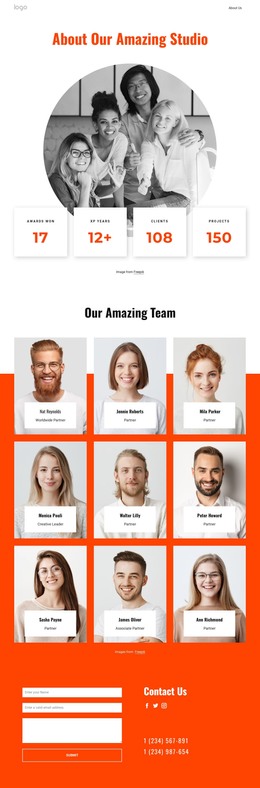
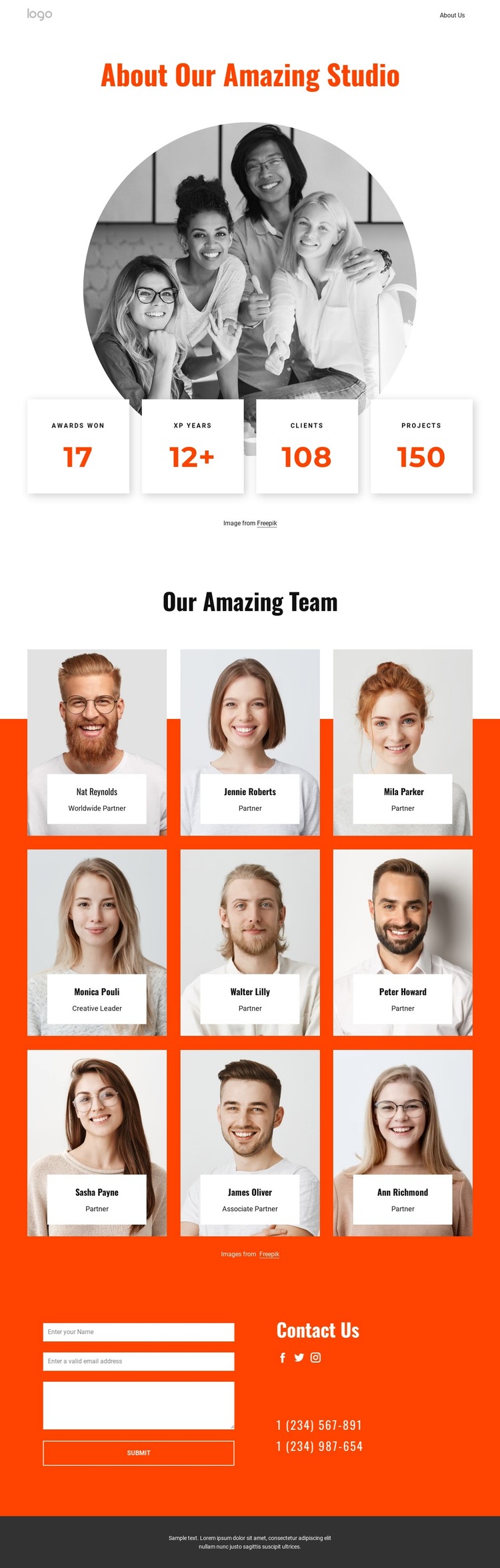
The nine portrait cards are the clearest recurring content area in this design. Set in three columns across three rows, they combine an image with a name and role label, creating a consistent presentation for people-focused information. In a WordPress project, this structure can provide a visual direction for permanent team content while leaving the page’s existing hierarchy intact. The repeated cards are more than decoration: they establish how related profiles can appear together within the studio’s visual language.
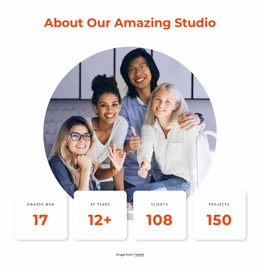
The About section gives that content a contextual entrance. Its centered heading, circular portrait, and four metric cards create a compact introduction before visitors reach the larger team grid. The bold orange, white, and charcoal palette connects this introduction with the profile area, while generous spacing keeps the repeated content from becoming visually crowded. These relationships make the design suitable for a site where page content needs to remain coordinated with shared presentation choices.
The closing Contact Us section adds a separate interaction area with an inquiry form, Facebook, Twitter, and Instagram links, and two phone contact details. This gives the team presentation a natural place for response-oriented content without changing its central people-focused purpose. If the WordPress project later includes additional editorial or page content, the same visual direction can continue around it while the studio introduction, team profiles, and contact area retain their distinct roles.
Customize with Nicepage
Open this ready-made template in the WordPress Website Builder and customize it visually in the Nicepage editor. Replace demo content, edit page sections, and adapt the design to your project without rebuilding the template from scratch.
Manage and Edit This Theme in WordPress
Customize and Install the WordPress Theme
Start with this ready-made theme instead of building the WordPress design from scratch. Customize its layout, content, typography, images, sections, and other design elements visually in Nicepage editor, then export and install the WordPress Theme, Plugin, and Pages on your WordPress site. The Nicepage WordPress Plugin lets you continue working with the site after installation.
Edit the Theme Directly in WordPress
After installation, you can edit the WordPress Theme directly in WordPress with the Nicepage WordPress Plugin. Use Site Style to customize site Colors, Fonts, Header, Footer, Blog, and Post Page Templates while working within your WordPress website.
Edit WordPress Pages Visually
Use the Nicepage WordPress Plugin to edit page content directly from the WordPress admin area. Open a WordPress Page with Nicepage and visually change its text, images, sections, and other page elements while continuing to manage the Page through WordPress.
WordPress Content and Theme Integration
Use the customized theme with WordPress Pages, Posts, Blog and Post Templates, menus, widgets, and other CMS-managed content. Shared theme elements such as Colors, Fonts, Header, Footer, Blog, and Post Page Templates can be managed as part of the overall site design, while WordPress provides the CMS environment for managing site content.
This workflow combines a ready-made WordPress Theme with visual customization, direct theme editing in WordPress, and continued content management through the Nicepage WordPress Plugin.