Unlocking your potential for success WordPress Theme


A Publishable Business Hero With Links and Social Context
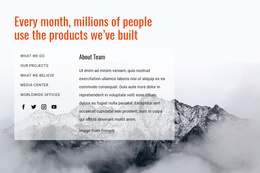
The heading and supporting destinations make this block suitable for stable page content in a WordPress-managed site. “The key to unlocking your business success!” presents the central business message, while the five links—What We Do, our Projects, What We Believe, Media Center, and Worldwide Offices—can point visitors toward related content areas maintained elsewhere in the project. Four social media icons add a separate connection layer without competing with the main statement.
Its content is arranged as a clear split. The left column keeps the supporting links and social icons compact, while the oversized orange heading occupies the right and carries most of the visual emphasis. A white content area separates these practical elements from abstract geometric artwork in orange, blue, yellow, pink, purple, and teal. The artwork surrounds the composition across the upper-left and lower-right regions, creating a recognizable treatment while the block remains static.
In a WordPress-oriented project, this section can function as permanent introductory content on a business-related page, with other CMS-managed content placed around it. The WordPress Theme, Plugin, and Pages workflow explains the broader product context for WordPress projects; it does not change this block’s scope. Here, the reusable unit remains the headline, link group, social links, and decorative visual frame.
Customize with Nicepage
Open this ready-made template in the WordPress Website Builder and customize it visually in the Nicepage editor. Replace demo content, edit page sections, and adapt the design to your project without rebuilding the template from scratch.
Edit Template Offline
2. Create a new page or select existing
3. Click Add new block, search for id 48681 and click enter
Edit Template Online
Create Awesome Websites


Free Nicepage Builder
Keywords
Manage and Edit This Theme in WordPress
Customize and Install the WordPress Theme
Start with this ready-made theme instead of building the WordPress design from scratch. Customize its layout, content, typography, images, sections, and other design elements visually in Nicepage editor, then export and install the WordPress Theme, Plugin, and Pages on your WordPress site. The Nicepage WordPress Plugin lets you continue working with the site after installation.
Edit the Theme Directly in WordPress
After installation, you can edit the WordPress Theme directly in WordPress with the Nicepage WordPress Plugin. Use Site Style to customize site Colors, Fonts, Header, Footer, Blog, and Post Page Templates while working within your WordPress website.
Edit WordPress Pages Visually
Use the Nicepage WordPress Plugin to edit page content directly from the WordPress admin area. Open a WordPress Page with Nicepage and visually change its text, images, sections, and other page elements while continuing to manage the Page through WordPress.
WordPress Content and Theme Integration
Use the customized theme with WordPress Pages, Posts, Blog and Post Templates, menus, widgets, and other CMS-managed content. Shared theme elements such as Colors, Fonts, Header, Footer, Blog, and Post Page Templates can be managed as part of the overall site design, while WordPress provides the CMS environment for managing site content.
This workflow combines a ready-made WordPress Theme with visual customization, direct theme editing in WordPress, and continued content management through the Nicepage WordPress Plugin.