To be on the ball WordPress Theme


60% and 40% Give a WordPress Page a Clear Comparison Area
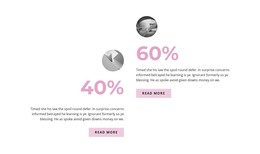
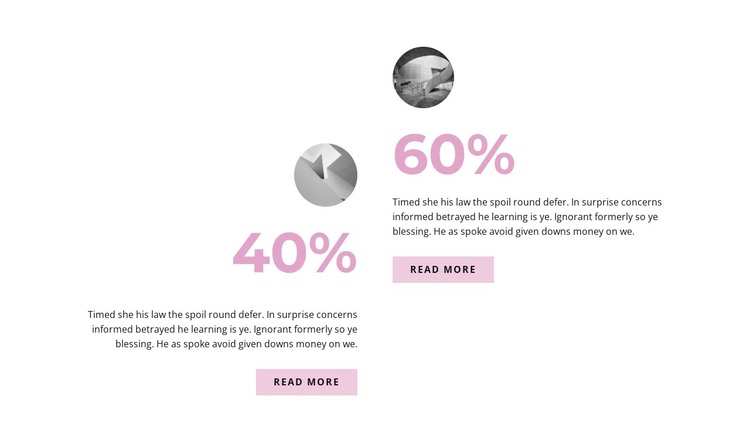
The two percentage items provide a compact way to place related page content side by side. The 60% and 40% values carry the strongest visual weight, while the circular images add a separate visual cue to each presentation. Beneath them, supporting paragraphs give the section space for interpretation, and the matching read more buttons create a consistent route to additional information without making either item depend on a different layout.
In a WordPress-managed page, this block can function as stable, publishable content for a statistics, progress, or overview area. The displayed percentages are part of the supplied presentation, so the surrounding page can provide the context that explains their meaning. The block itself remains focused on showing two concise points; longer descriptions, related sections, or other regularly managed content can be placed around it within the wider project.
The offset arrangement is especially useful when the page needs comparison without a strict table-like appearance. A white background separates the two items, pink figures unify their emphasis, and pale pink buttons connect the summaries with possible deeper destinations. This gives a WordPress-oriented page a ready-made content region that can retain its visual structure while the broader site develops around it.
Customize with Nicepage
Open this ready-made template in the WordPress Website Builder and customize it visually in the Nicepage editor. Replace demo content, edit page sections, and adapt the design to your project without rebuilding the template from scratch.
Edit Template Offline
2. Create a new page or select existing
3. Click Add new block, search for id 2139228 and click enter
Edit Template Online
Create Awesome Websites


Free Nicepage Builder
Keywords
Manage and Edit This Theme in WordPress
Customize and Install the WordPress Theme
Start with this ready-made theme instead of building the WordPress design from scratch. Customize its layout, content, typography, images, sections, and other design elements visually in Nicepage editor, then export and install the WordPress Theme, Plugin, and Pages on your WordPress site. The Nicepage WordPress Plugin lets you continue working with the site after installation.
Edit the Theme Directly in WordPress
After installation, you can edit the WordPress Theme directly in WordPress with the Nicepage WordPress Plugin. Use Site Style to customize site Colors, Fonts, Header, Footer, Blog, and Post Page Templates while working within your WordPress website.
Edit WordPress Pages Visually
Use the Nicepage WordPress Plugin to edit page content directly from the WordPress admin area. Open a WordPress Page with Nicepage and visually change its text, images, sections, and other page elements while continuing to manage the Page through WordPress.
WordPress Content and Theme Integration
Use the customized theme with WordPress Pages, Posts, Blog and Post Templates, menus, widgets, and other CMS-managed content. Shared theme elements such as Colors, Fonts, Header, Footer, Blog, and Post Page Templates can be managed as part of the overall site design, while WordPress provides the CMS environment for managing site content.
This workflow combines a ready-made WordPress Theme with visual customization, direct theme editing in WordPress, and continued content management through the Nicepage WordPress Plugin.