To pull strings HTML Template


Alternating Architectural Tiles Form a Ready-Made Static Section
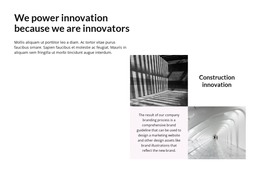
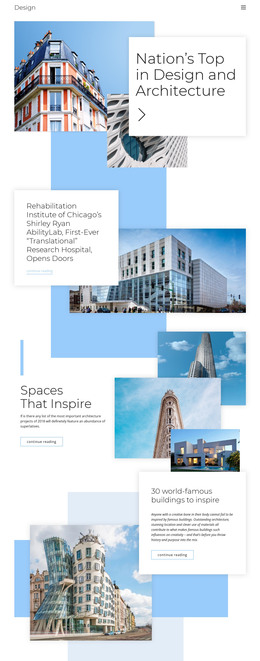
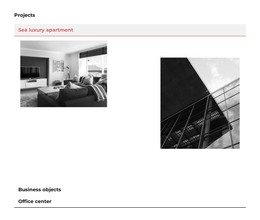
The prominent introductory area gives the section a clear starting point: the heading “We power innovation because we are innovators” sits above compact supporting text on the left. Below it, the “Construction innovation” label introduces a two-by-two mosaic in which two architectural images alternate with two text tiles. This arrangement already provides a complete content unit for presenting an innovation-focused theme inside a static HTML page, while the surrounding page can supply navigation, additional sections, or a contact area.
The alternating pattern is important to the section’s static use. Images and text panels occupy opposing positions rather than forming a conventional list, so the block can add editorial rhythm to a page about architecture, construction, or related visual topics. The white background, black typography, pale blush panel, and centered tile text keep the visual system legible even though the composition is asymmetrical. One text tile includes a paragraph about branding guidelines and design assets, which adds a design-oriented layer to the construction theme without requiring extra interaction.
As a ready-made HTML section, the block can be placed where a page needs explanatory features or an about-style presentation. Its static interaction keeps the content visible at once, while the two image tiles provide visual evidence and the text tiles carry the supporting message. The containing project, rather than this section alone, determines the broader HTML structure and publishing context.
Customize with Nicepage
Open this ready-made template in the HTML Builder and customize it visually in the Nicepage editor. Replace demo content, edit page sections, and adapt the design to your project without rebuilding the template from scratch.
Edit Template Offline
2. Create a new page or select existing
3. Click Add new block, search for id 2138307 and click enter
Edit Template Online
Create Awesome Websites


Free Nicepage Builder
Keywords
Use This Block in a Static HTML Page
Start With a Ready-Made Section
A block provides one prepared content area that can be combined with other sections to build a static HTML page. Customize its text, images, spacing, colors, and other elements in the Nicepage editor while keeping the block focused on its own purpose, such as services, testimonials, pricing, contact information, or visual presentation.
Export the Containing HTML Project
When the page or website that contains the block is ready, use HTML Export to create the files required for a static HTML project. The export applies to the containing page/site rather than turning one individual block into a complete website by itself.
Reuse the Section Within the Project
The same block design can be adapted as one content section within a larger static site. Other Blocks can provide navigation, introductions, portfolios, forms, footers, and additional page content while this section keeps its own verified content and layout role.
This workflow makes the block useful as a ready-made section inside a static HTML implementation, with export and deployment handled at the page or website level.