Сheese business WordPress Theme


A Stable Page Content Area for WordPress Projects
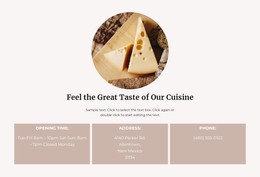
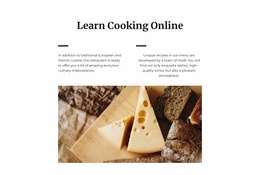
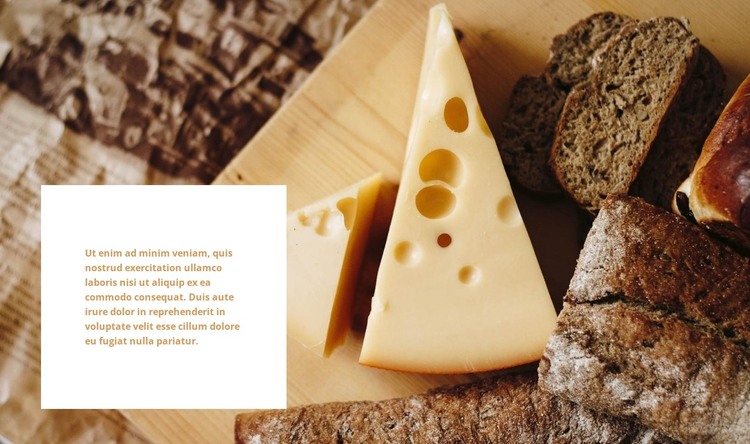
The block reads as a focused piece of page content rather than a changing list or interactive component. Its single descriptive paragraph is contained by a white rectangular card, and that card sits toward the left of a full-width food photograph showing cheese and bread. The warm brown and beige background supplies context, while the white surface keeps the written material legible and visually separate. This gives the section a stable content pattern that can remain consistent when placed in a WordPress-managed page.
The block can function as a supporting informational region within a wider page, particularly where a photograph needs a short explanatory passage beside it. Its role is not to act as a complete WordPress theme or to define the entire site; instead, it can occupy one page area while the surrounding project handles other content and structure. Since the paragraph is the only written object and no heading is present, its placement should be considered in relation to nearby titles or sections so the page retains a clear reading sequence. The static behavior keeps the content immediately available, with no tabs or sliders requiring separate navigation. In this context, the visual section can remain a dependable part of permanent page content while WordPress-managed material around it evolves independently.
Customize with Nicepage
Open this ready-made template in the WordPress Website Builder and customize it visually in the Nicepage editor. Replace demo content, edit page sections, and adapt the design to your project without rebuilding the template from scratch.
Edit Template Offline
2. Create a new page or select existing
3. Click Add new block, search for id 1672669 and click enter
Edit Template Online
Create Awesome Websites


Free Nicepage Builder
Keywords
Manage and Edit This Theme in WordPress
Customize and Install the WordPress Theme
Start with this ready-made theme instead of building the WordPress design from scratch. Customize its layout, content, typography, images, sections, and other design elements visually in Nicepage editor, then export and install the WordPress Theme, Plugin, and Pages on your WordPress site. The Nicepage WordPress Plugin lets you continue working with the site after installation.
Edit the Theme Directly in WordPress
After installation, you can edit the WordPress Theme directly in WordPress with the Nicepage WordPress Plugin. Use Site Style to customize site Colors, Fonts, Header, Footer, Blog, and Post Page Templates while working within your WordPress website.
Edit WordPress Pages Visually
Use the Nicepage WordPress Plugin to edit page content directly from the WordPress admin area. Open a WordPress Page with Nicepage and visually change its text, images, sections, and other page elements while continuing to manage the Page through WordPress.
WordPress Content and Theme Integration
Use the customized theme with WordPress Pages, Posts, Blog and Post Templates, menus, widgets, and other CMS-managed content. Shared theme elements such as Colors, Fonts, Header, Footer, Blog, and Post Page Templates can be managed as part of the overall site design, while WordPress provides the CMS environment for managing site content.
This workflow combines a ready-made WordPress Theme with visual customization, direct theme editing in WordPress, and continued content management through the Nicepage WordPress Plugin.