6 good green habits WordPress Theme


Stable Guidance Cards Fit a WordPress-Managed Content Area
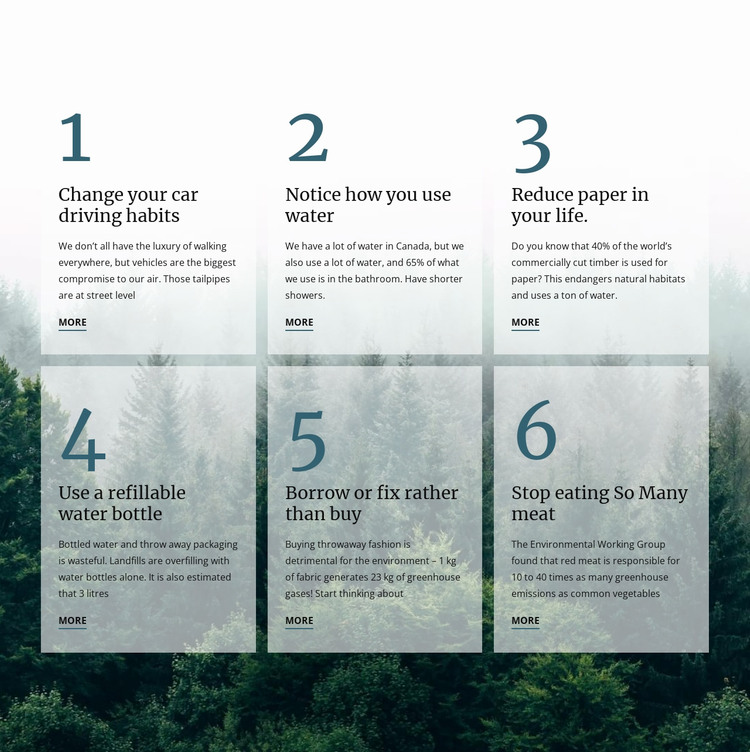
The six cards read as durable informational content rather than a time-sensitive feed. Each presents one environmental recommendation with a heading, concise explanation, and More link, covering driving habits, household water use, paper reduction, refillable bottles, borrowing or repairing, and reducing meat consumption. That repeatable pattern makes the section suitable for a WordPress-managed page where the broader project can maintain related content around a stable sustainability area.
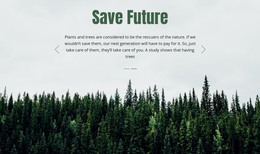
The visual arrangement keeps the content recognizable as one section. Three columns form the first horizontal grouping and continue into a second row, while the dark evergreen forest image connects all six recommendations through a shared background. Pale translucent cards protect readability, and the large blue-green numerals give the items a consistent order. Serif-style headings and left-aligned copy help the recommendations retain an editorial, guidance-oriented character.
In a WordPress-oriented project, this block can serve as permanent page content within a wider theme and page structure. Its role is not to define the theme itself, but to supply a finished environmental information region that can sit alongside other content areas. The More links can connect each recommendation with fuller material managed elsewhere, while the block preserves the same six-item visual pattern on the page.
Customize with Nicepage
Open this ready-made template in the WordPress Website Builder and customize it visually in the Nicepage editor. Replace demo content, edit page sections, and adapt the design to your project without rebuilding the template from scratch.
Edit Template Offline
2. Create a new page or select existing
3. Click Add new block, search for id 41744 and click enter
Edit Template Online
Create Awesome Websites


Free Nicepage Builder
Keywords
Manage and Edit This Theme in WordPress
Customize and Install the WordPress Theme
Start with this ready-made theme instead of building the WordPress design from scratch. Customize its layout, content, typography, images, sections, and other design elements visually in Nicepage editor, then export and install the WordPress Theme, Plugin, and Pages on your WordPress site. The Nicepage WordPress Plugin lets you continue working with the site after installation.
Edit the Theme Directly in WordPress
After installation, you can edit the WordPress Theme directly in WordPress with the Nicepage WordPress Plugin. Use Site Style to customize site Colors, Fonts, Header, Footer, Blog, and Post Page Templates while working within your WordPress website.
Edit WordPress Pages Visually
Use the Nicepage WordPress Plugin to edit page content directly from the WordPress admin area. Open a WordPress Page with Nicepage and visually change its text, images, sections, and other page elements while continuing to manage the Page through WordPress.
WordPress Content and Theme Integration
Use the customized theme with WordPress Pages, Posts, Blog and Post Templates, menus, widgets, and other CMS-managed content. Shared theme elements such as Colors, Fonts, Header, Footer, Blog, and Post Page Templates can be managed as part of the overall site design, while WordPress provides the CMS environment for managing site content.
This workflow combines a ready-made WordPress Theme with visual customization, direct theme editing in WordPress, and continued content management through the Nicepage WordPress Plugin.