We are professional solar panel installers WordPress Theme


Edit Template Offline
2. Create new page and search for id 5231229
Edit Template Online
Create Awesome Websites


Free Nicepage Builder
Keywords
Contact Content Separates Permanent Information From Visitor Questions
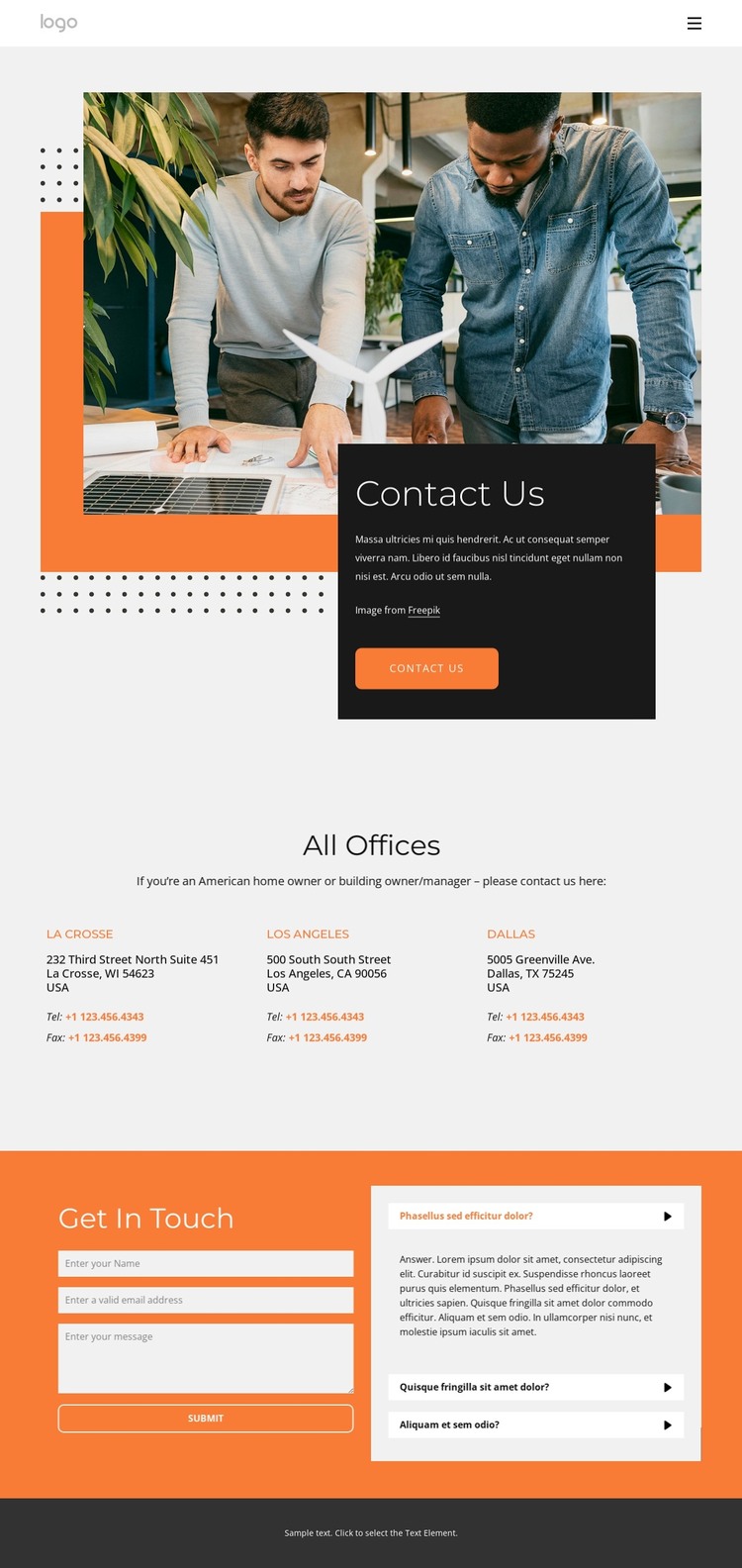
The three office entries provide a strong page-oriented content area for a WordPress-managed site. Each item follows the same visual pattern, so office information can remain consistent when the sample locations are replaced with verified details. This repeated structure is different from the image-led opening: the workplace photograph introduces the organization visually, while the office directory supplies practical information that visitors may need before sending an inquiry.
The contact section adds another permanent page area through the form and its supporting questions. Name, email, and message inputs create a defined inquiry block, while the three expandable items keep answers available without allowing them to dominate the page. In a WordPress project, these areas can remain part of the page’s visual direction as the surrounding text and images are maintained or updated through the site’s content environment. The design does not require claiming that posts or blog content already exist.
The shared header and dark footer also matter for theme interpretation because they frame the page with recurring site elements. The light header keeps navigation compact, and the footer supplies a consistent closing band beneath the contact content. Together with the orange action area, these regions create a clear relationship between permanent page information, visitor questions, and direct communication. That structure gives the theme a practical role for a contact-focused site while preserving room for future WordPress-managed content.
Customize with Nicepage
Open this ready-made template in the WordPress Website Builder and customize it visually in the Nicepage editor. Replace demo content, edit page sections, and adapt the design to your project without rebuilding the template from scratch.
Manage and Edit This Theme in WordPress
Customize and Install the WordPress Theme
Start with this ready-made theme instead of building the WordPress design from scratch. Customize its layout, content, typography, images, sections, and other design elements visually in Nicepage editor, then export and install the WordPress Theme, Plugin, and Pages on your WordPress site. The Nicepage WordPress Plugin lets you continue working with the site after installation.
Edit the Theme Directly in WordPress
After installation, you can edit the WordPress Theme directly in WordPress with the Nicepage WordPress Plugin. Use Site Style to customize site Colors, Fonts, Header, Footer, Blog, and Post Page Templates while working within your WordPress website.
Edit WordPress Pages Visually
Use the Nicepage WordPress Plugin to edit page content directly from the WordPress admin area. Open a WordPress Page with Nicepage and visually change its text, images, sections, and other page elements while continuing to manage the Page through WordPress.
WordPress Content and Theme Integration
Use the customized theme with WordPress Pages, Posts, Blog and Post Templates, menus, widgets, and other CMS-managed content. Shared theme elements such as Colors, Fonts, Header, Footer, Blog, and Post Page Templates can be managed as part of the overall site design, while WordPress provides the CMS environment for managing site content.
This workflow combines a ready-made WordPress Theme with visual customization, direct theme editing in WordPress, and continued content management through the Nicepage WordPress Plugin.