Solar plan WordPress Theme


Stable Plan Information Fits a WordPress-Managed Page Section
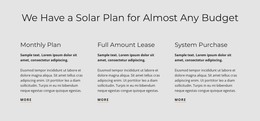
The centered heading and three parallel options make this block read as stable informational content rather than a stream of dated editorial entries. Monthly Plan, Full Amount Lease, and System Purchase are separate plan categories, and each receives the same combination of heading, supporting paragraph, and “more” link. That structure can fit a WordPress-managed page where the section explains available solar payment approaches within a larger services presentation.
The repeated content pattern is useful for keeping comparable information visually aligned. It also leaves room for the surrounding project to handle related page content, such as broader service explanations, supporting proof, or contact details. The block itself contains no prices or numerical metrics, so its content role is to organize and introduce plan choices rather than to make specific financial claims. The sample paragraphs can carry the explanatory copy appropriate to each option.
Visually, the light gray background, dark text, and generous horizontal spacing help the section remain recognizable when placed among other page areas. The restrained underline beneath each “more” link supplies a consistent cue for further information. In a WordPress Theme context, this is best understood as one reusable page-content section within a CMS-managed site, not as the complete theme or site structure.
Customize with Nicepage
Open this ready-made template in the WordPress Website Builder and customize it visually in the Nicepage editor. Replace demo content, edit page sections, and adapt the design to your project without rebuilding the template from scratch.
Edit Template Offline
2. Create a new page or select existing
3. Click Add new block, search for id 2276761 and click enter
Edit Template Online
Create Awesome Websites


Free Nicepage Builder
Keywords
Manage and Edit This Theme in WordPress
Customize and Install the WordPress Theme
Start with this ready-made theme instead of building the WordPress design from scratch. Customize its layout, content, typography, images, sections, and other design elements visually in Nicepage editor, then export and install the WordPress Theme, Plugin, and Pages on your WordPress site. The Nicepage WordPress Plugin lets you continue working with the site after installation.
Edit the Theme Directly in WordPress
After installation, you can edit the WordPress Theme directly in WordPress with the Nicepage WordPress Plugin. Use Site Style to customize site Colors, Fonts, Header, Footer, Blog, and Post Page Templates while working within your WordPress website.
Edit WordPress Pages Visually
Use the Nicepage WordPress Plugin to edit page content directly from the WordPress admin area. Open a WordPress Page with Nicepage and visually change its text, images, sections, and other page elements while continuing to manage the Page through WordPress.
WordPress Content and Theme Integration
Use the customized theme with WordPress Pages, Posts, Blog and Post Templates, menus, widgets, and other CMS-managed content. Shared theme elements such as Colors, Fonts, Header, Footer, Blog, and Post Page Templates can be managed as part of the overall site design, while WordPress provides the CMS environment for managing site content.
This workflow combines a ready-made WordPress Theme with visual customization, direct theme editing in WordPress, and continued content management through the Nicepage WordPress Plugin.