We create memorable experiences WordPress Theme



Edit Template Offline
2. Create new page and search for id 510417
Edit Template Online
Create Awesome Websites


Free Nicepage Builder
Keywords
Portfolio projects and recurring service content suit a managed studio site
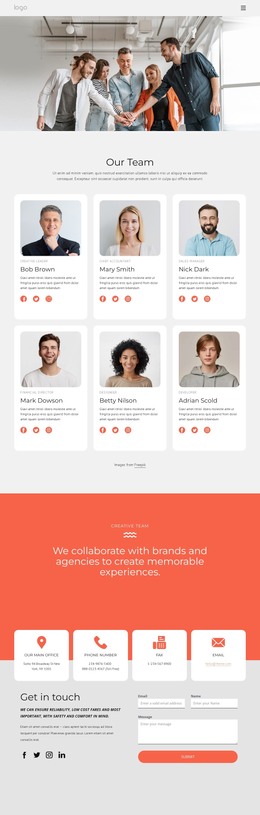
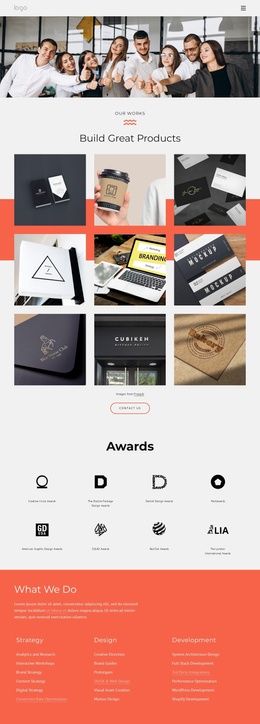
The six project images create a clear portfolio area for presenting selected work, while the four service groups give the design a more durable content structure than a purely promotional hero. Design, Digital & Mobile, Development, and Social Marketing can be interpreted as distinct areas for page content that remains part of the same visual system. The awards section and three circular team portraits add separate recognition and people-focused content, allowing the studio story to extend beyond its opening statement.
The page’s contact architecture is equally important. Four tiles cover office and communication channels, and a compact contact form sits alongside them near the end of the layout. Together, these areas distinguish informational studio content from visitor response content. The repeated Contact Us actions in the hero, team section, and portfolio sequence also create consistent destinations for visitors moving between work examples and service information.
For a WordPress project, this verified structure provides a useful way to separate enduring page content from material that may later be expanded or updated. The design does not prove that posts, categories, or blog sections already exist, so those should not be treated as built-in components. Instead, its strength lies in the combination of portfolio, services, team, contact, and footer regions, which can support a managed creative-services website while retaining the original coral, white, light-gray, and charcoal character.
Customize with Nicepage
Open this ready-made template in the WordPress Website Builder and customize it visually in the Nicepage editor. Replace demo content, edit page sections, and adapt the design to your project without rebuilding the template from scratch.
Manage and Edit This Theme in WordPress
Customize and Install the WordPress Theme
Start with this ready-made theme instead of building the WordPress design from scratch. Customize its layout, content, typography, images, sections, and other design elements visually in Nicepage editor, then export and install the WordPress Theme, Plugin, and Pages on your WordPress site. The Nicepage WordPress Plugin lets you continue working with the site after installation.
Edit the Theme Directly in WordPress
After installation, you can edit the WordPress Theme directly in WordPress with the Nicepage WordPress Plugin. Use Site Style to customize site Colors, Fonts, Header, Footer, Blog, and Post Page Templates while working within your WordPress website.
Edit WordPress Pages Visually
Use the Nicepage WordPress Plugin to edit page content directly from the WordPress admin area. Open a WordPress Page with Nicepage and visually change its text, images, sections, and other page elements while continuing to manage the Page through WordPress.
WordPress Content and Theme Integration
Use the customized theme with WordPress Pages, Posts, Blog and Post Templates, menus, widgets, and other CMS-managed content. Shared theme elements such as Colors, Fonts, Header, Footer, Blog, and Post Page Templates can be managed as part of the overall site design, while WordPress provides the CMS environment for managing site content.
This workflow combines a ready-made WordPress Theme with visual customization, direct theme editing in WordPress, and continued content management through the Nicepage WordPress Plugin.