Building great websites for industry-leading brands WordPress Theme


Edit Template Offline
2. Create new page and search for id 4783640
Edit Template Online
Create Awesome Websites


Free Nicepage Builder
Keywords
Contact and Newsletter Areas Support Managed Business Content
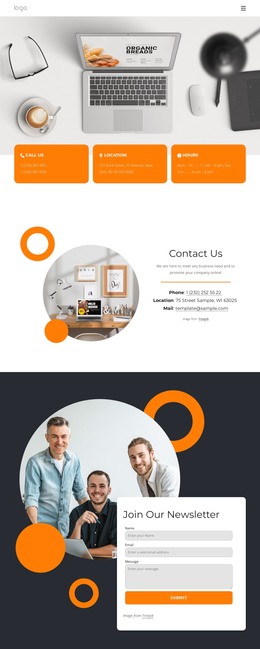
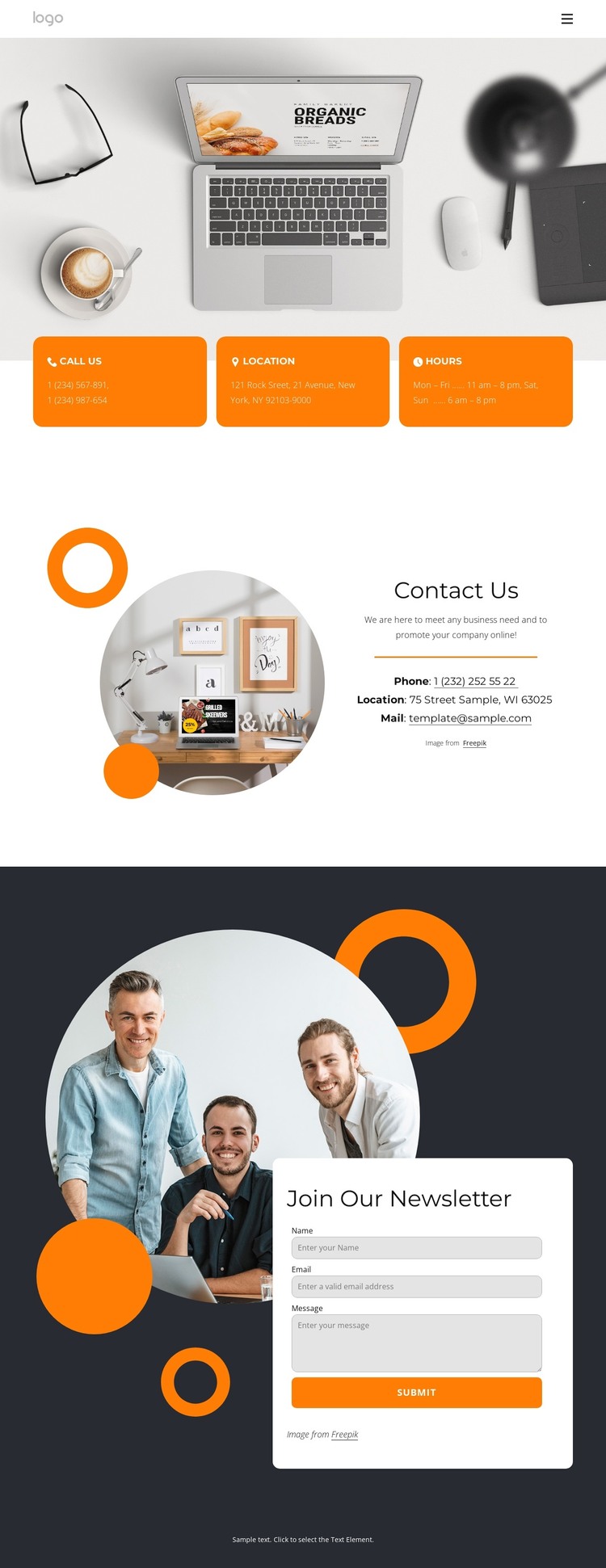
The page separates permanent contact information into several recognizable content areas. The three orange cards group phone, location, and hours into concise units, making them suitable reference points for a business page that needs visitors to find practical details quickly. The Contact Us section then brings phone, location, and mail information together with a promotional message and supporting circular photograph, creating a fuller page-oriented content area.
The newsletter section provides a different type of content relationship. A dark background and large photograph frame an overlapping white signup card, while name, email, and message inputs support an ongoing communication purpose. This is distinct from the static contact details above: the upper sections explain how to reach the business, while the lower form gives visitors a way to join or inquire. The visual contrast helps keep those roles understandable.
For a WordPress-managed project, the design therefore offers a useful division between stable page content and repeatable audience communication. The header and navigation establish shared site elements, the contact sections provide the core page information, and the newsletter area can remain a recognizable interaction zone as content is maintained. The analysis confirms these content areas, but it does not establish existing posts, categories, or blog structures, so the theme interpretation remains grounded in the verified contact-page design rather than invented CMS elements.
Customize with Nicepage
Open this ready-made template in the WordPress Website Builder and customize it visually in the Nicepage editor. Replace demo content, edit page sections, and adapt the design to your project without rebuilding the template from scratch.
Manage and Edit This Theme in WordPress
Customize and Install the WordPress Theme
Start with this ready-made theme instead of building the WordPress design from scratch. Customize its layout, content, typography, images, sections, and other design elements visually in Nicepage editor, then export and install the WordPress Theme, Plugin, and Pages on your WordPress site. The Nicepage WordPress Plugin lets you continue working with the site after installation.
Edit the Theme Directly in WordPress
After installation, you can edit the WordPress Theme directly in WordPress with the Nicepage WordPress Plugin. Use Site Style to customize site Colors, Fonts, Header, Footer, Blog, and Post Page Templates while working within your WordPress website.
Edit WordPress Pages Visually
Use the Nicepage WordPress Plugin to edit page content directly from the WordPress admin area. Open a WordPress Page with Nicepage and visually change its text, images, sections, and other page elements while continuing to manage the Page through WordPress.
WordPress Content and Theme Integration
Use the customized theme with WordPress Pages, Posts, Blog and Post Templates, menus, widgets, and other CMS-managed content. Shared theme elements such as Colors, Fonts, Header, Footer, Blog, and Post Page Templates can be managed as part of the overall site design, while WordPress provides the CMS environment for managing site content.
This workflow combines a ready-made WordPress Theme with visual customization, direct theme editing in WordPress, and continued content management through the Nicepage WordPress Plugin.