We do everything for you WordPress Theme



Edit Template Offline
2. Create new page and search for id 4754713
Edit Template Online
Create Awesome Websites


Free Nicepage Builder
Keywords
Brand Services and Showcase Cards Support WordPress Page Content
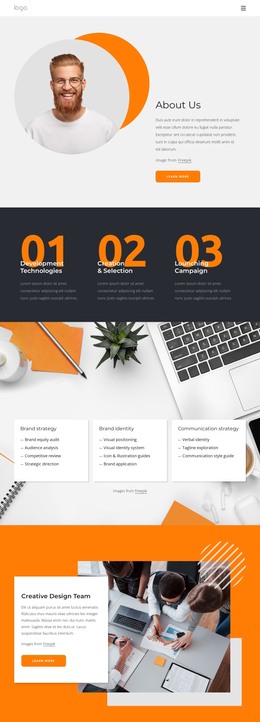
Brand strategy, brand identity, and communication strategy form the page’s main content categories, while the detailed lists beneath them show how each category can carry substantial information. This makes the design suitable for a WordPress-managed presentation in which permanent page content explains the agency’s offer and repeated visual sections support additional editorial material. The three showcase cards add another layer for presenting capabilities such as website development and digital campaigns without weakening the central service structure.
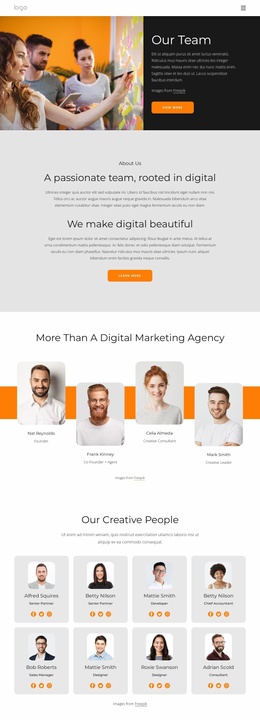
The creative design team section changes the emphasis from what the agency offers to who stands behind it. Its overlapping white panel and large team photograph create a reusable visual pattern for organizational content, while the portrait-led introduction and audience statement provide more personal context. The three numbered stages can then explain the relationship between development, creation and selection, and campaign launching as a process rather than a list of disconnected services.
The newsletter signup is a clear response point at the end of the page, positioned in a white card over a dark photographic composition. In a WordPress project, that closing content can remain part of the page’s permanent structure while other publishable sections grow around it. The navigation and repeated card treatment help keep future content aligned with the same visual direction.
Customize with Nicepage
Open this ready-made template in the WordPress Website Builder and customize it visually in the Nicepage editor. Replace demo content, edit page sections, and adapt the design to your project without rebuilding the template from scratch.
Manage and Edit This Theme in WordPress
Customize and Install the WordPress Theme
Start with this ready-made theme instead of building the WordPress design from scratch. Customize its layout, content, typography, images, sections, and other design elements visually in Nicepage editor, then export and install the WordPress Theme, Plugin, and Pages on your WordPress site. The Nicepage WordPress Plugin lets you continue working with the site after installation.
Edit the Theme Directly in WordPress
After installation, you can edit the WordPress Theme directly in WordPress with the Nicepage WordPress Plugin. Use Site Style to customize site Colors, Fonts, Header, Footer, Blog, and Post Page Templates while working within your WordPress website.
Edit WordPress Pages Visually
Use the Nicepage WordPress Plugin to edit page content directly from the WordPress admin area. Open a WordPress Page with Nicepage and visually change its text, images, sections, and other page elements while continuing to manage the Page through WordPress.
WordPress Content and Theme Integration
Use the customized theme with WordPress Pages, Posts, Blog and Post Templates, menus, widgets, and other CMS-managed content. Shared theme elements such as Colors, Fonts, Header, Footer, Blog, and Post Page Templates can be managed as part of the overall site design, while WordPress provides the CMS environment for managing site content.
This workflow combines a ready-made WordPress Theme with visual customization, direct theme editing in WordPress, and continued content management through the Nicepage WordPress Plugin.