We have designed hundreds of websites WordPress Theme


Edit Template Offline
2. Create new page and search for id 4754261
Edit Template Online
Create Awesome Websites


Free Nicepage Builder
Keywords
Portfolio Projects and Repeated Service Content Support WordPress Pages
The six service categories give this design a clear set of permanent page-content subjects. Branding, printing, digital strategy, advertising, marketing, and graphic design appear as repeated items under We Create Brands, so the visual system can accommodate related descriptions without losing the connection between the categories. The opening What We Do section supplies a concise introduction and a View More action before visitors reach that service content.
The twelve portfolio tiles provide a different kind of content relationship. Captions such as Brand Campaign, Web Design Website, Logo design, Poster design, Photography, and Corporate Identity organize visual work into recognizable project themes. In a WordPress-oriented project, this distinction between service information and project presentation offers a practical basis for separating stable studio descriptions from content that may be expanded or updated over time, without claiming that posts or categories already exist in the template.
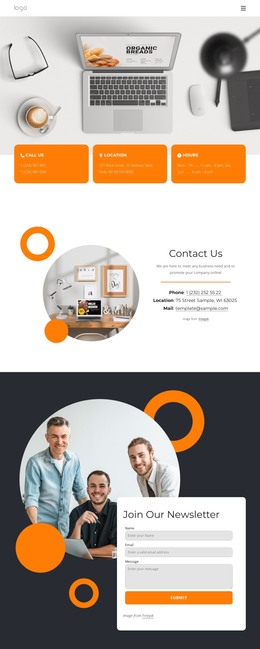
Four accordion topics in the partnership section add structured editorial content beside an image, supporting text, and another View More action. The final newsletter area contributes a direct communication point with name, email, and message inputs. Together with the dark footer, these regions create a coherent theme direction for page content, portfolio material, and visitor communication. The result is more than a gallery: it is a design framework that can keep recurring studio content visually connected as the project develops.
Customize with Nicepage
Open this ready-made template in the WordPress Website Builder and customize it visually in the Nicepage editor. Replace demo content, edit page sections, and adapt the design to your project without rebuilding the template from scratch.
Manage and Edit This Theme in WordPress
Customize and Install the WordPress Theme
Start with this ready-made theme instead of building the WordPress design from scratch. Customize its layout, content, typography, images, sections, and other design elements visually in Nicepage editor, then export and install the WordPress Theme, Plugin, and Pages on your WordPress site. The Nicepage WordPress Plugin lets you continue working with the site after installation.
Edit the Theme Directly in WordPress
After installation, you can edit the WordPress Theme directly in WordPress with the Nicepage WordPress Plugin. Use Site Style to customize site Colors, Fonts, Header, Footer, Blog, and Post Page Templates while working within your WordPress website.
Edit WordPress Pages Visually
Use the Nicepage WordPress Plugin to edit page content directly from the WordPress admin area. Open a WordPress Page with Nicepage and visually change its text, images, sections, and other page elements while continuing to manage the Page through WordPress.
WordPress Content and Theme Integration
Use the customized theme with WordPress Pages, Posts, Blog and Post Templates, menus, widgets, and other CMS-managed content. Shared theme elements such as Colors, Fonts, Header, Footer, Blog, and Post Page Templates can be managed as part of the overall site design, while WordPress provides the CMS environment for managing site content.
This workflow combines a ready-made WordPress Theme with visual customization, direct theme editing in WordPress, and continued content management through the Nicepage WordPress Plugin.