Create professional website designs WordPress Theme



Contact information forms stable page content around one action
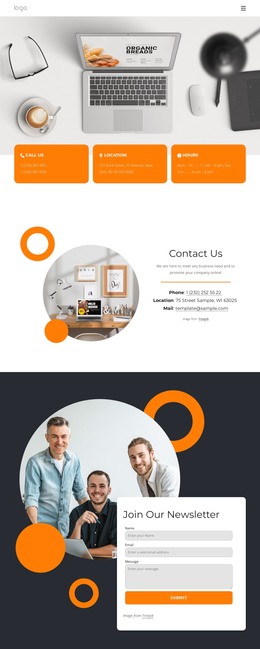
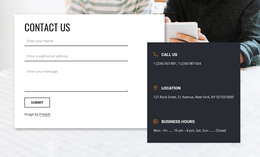
The right-hand panel reads as a self-contained contact area that can sit within a WordPress-managed page. Its “Contact Us” heading introduces phone, email, address, and opening-hours labels, while the separate Monday–Thursday and Friday–Sunday ranges give the schedule a clear internal distinction. These details can remain visually stable as page content, with the surrounding project handling other sections and broader site management.
The large left-side photograph of a person holding a smartphone changes the balance from a plain information column to a two-part presentation: visual context on one side, practical contact content on the other. Below the details, the rounded orange “Book Consultation” button gives the section a defined response point. Its presence supports a consultation-oriented page role, while the static interaction means the block does not itself demonstrate a booking workflow or form submission.
For a WordPress Theme context, this arrangement can function as reusable contact content on a services page or another permanent page destination. The light neutral background, bold dark type, orange labels, and warm golden accents can also be retained when the section is placed beside other page content with related styling. The block contributes one publishable content region; it should not be treated as the entire theme or site structure.
Customize with Nicepage
Open this ready-made template in the WordPress Website Builder and customize it visually in the Nicepage editor. Replace demo content, edit page sections, and adapt the design to your project without rebuilding the template from scratch.
Edit Template Offline
2. Create a new page or select existing
3. Click Add new block, search for id 2765484 and click enter
Edit Template Online
Create Awesome Websites


Free Nicepage Builder
Keywords
Manage and Edit This Theme in WordPress
Customize and Install the WordPress Theme
Start with this ready-made theme instead of building the WordPress design from scratch. Customize its layout, content, typography, images, sections, and other design elements visually in Nicepage editor, then export and install the WordPress Theme, Plugin, and Pages on your WordPress site. The Nicepage WordPress Plugin lets you continue working with the site after installation.
Edit the Theme Directly in WordPress
After installation, you can edit the WordPress Theme directly in WordPress with the Nicepage WordPress Plugin. Use Site Style to customize site Colors, Fonts, Header, Footer, Blog, and Post Page Templates while working within your WordPress website.
Edit WordPress Pages Visually
Use the Nicepage WordPress Plugin to edit page content directly from the WordPress admin area. Open a WordPress Page with Nicepage and visually change its text, images, sections, and other page elements while continuing to manage the Page through WordPress.
WordPress Content and Theme Integration
Use the customized theme with WordPress Pages, Posts, Blog and Post Templates, menus, widgets, and other CMS-managed content. Shared theme elements such as Colors, Fonts, Header, Footer, Blog, and Post Page Templates can be managed as part of the overall site design, while WordPress provides the CMS environment for managing site content.
This workflow combines a ready-made WordPress Theme with visual customization, direct theme editing in WordPress, and continued content management through the Nicepage WordPress Plugin.