Rentals in Marbella WordPress Theme



Permanent Agency Content Built Around One Human Property Moment
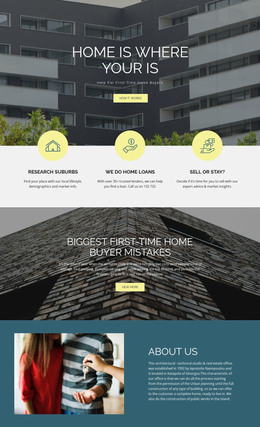
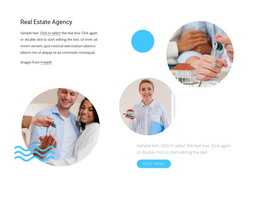
The key-exchange photograph gives this section a clear page-content role: it introduces a real estate agency through a concrete human interaction rather than through a list of changing entries. The single heading names the agency, and the dark blue logo with uppercase text anchors that identity in the lower-left portion of the image. Together, the image, heading, and branding form a stable content region that can remain part of a WordPress-managed page while other areas carry property details or regularly updated material.
This interpretation suits permanent agency information because the block has no confirmed slider, form, gallery, or other content component that would define a more specialized workflow. Its static structure is visually self-contained, but it remains one section within the wider page. The pale neutral background supports legibility, while the red and skin-tone accents in the photograph preserve a human sense of context. A WordPress-oriented project could place this section on an agency or property-related page and surround it with other blocks as needed. The important relationship is between the durable agency identity and the single introductory image, not between the block and an assumed post, category, or dynamic listing system. That keeps the section useful as publishable page content without changing its scope.
Customize with Nicepage
Open this ready-made template in the WordPress Website Builder and customize it visually in the Nicepage editor. Replace demo content, edit page sections, and adapt the design to your project without rebuilding the template from scratch.
Edit Template Offline
2. Create a new page or select existing
3. Click Add new block, search for id 46780 and click enter
Edit Template Online
Create Awesome Websites


Free Nicepage Builder
Keywords
Manage and Edit This Theme in WordPress
Customize and Install the WordPress Theme
Start with this ready-made theme instead of building the WordPress design from scratch. Customize its layout, content, typography, images, sections, and other design elements visually in Nicepage editor, then export and install the WordPress Theme, Plugin, and Pages on your WordPress site. The Nicepage WordPress Plugin lets you continue working with the site after installation.
Edit the Theme Directly in WordPress
After installation, you can edit the WordPress Theme directly in WordPress with the Nicepage WordPress Plugin. Use Site Style to customize site Colors, Fonts, Header, Footer, Blog, and Post Page Templates while working within your WordPress website.
Edit WordPress Pages Visually
Use the Nicepage WordPress Plugin to edit page content directly from the WordPress admin area. Open a WordPress Page with Nicepage and visually change its text, images, sections, and other page elements while continuing to manage the Page through WordPress.
WordPress Content and Theme Integration
Use the customized theme with WordPress Pages, Posts, Blog and Post Templates, menus, widgets, and other CMS-managed content. Shared theme elements such as Colors, Fonts, Header, Footer, Blog, and Post Page Templates can be managed as part of the overall site design, while WordPress provides the CMS environment for managing site content.
This workflow combines a ready-made WordPress Theme with visual customization, direct theme editing in WordPress, and continued content management through the Nicepage WordPress Plugin.