Helping a tech startup to grow WordPress Theme


Stable Company Information in a Two-Part Page Section
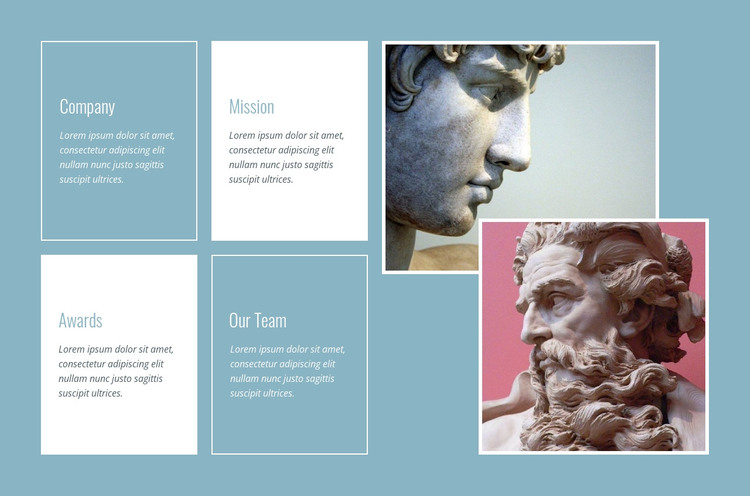
The Company, Mission, Awards, and Our Team panels read as stable page content because each one names a lasting area of organizational information and provides space for a supporting paragraph. In a WordPress-oriented project, this arrangement can suit a permanent About or company-information section rather than a stream of dated updates. The labels make the content easy to divide and revise, while the 2-by-2 grouping prevents four related subjects from becoming one dense block of prose.
A separate visual region balances that information: two portrait-oriented sculpture photographs overlap vertically on the right. The images are decorative accompaniment to the panels, not additional content categories, and their static arrangement keeps attention on the relationship between the visual and written halves. Thin white borders repeat around the photographs and selected cards, while the muted blue background and alternating white and blue surfaces provide contrast. Small light headings and italic supporting text maintain a restrained hierarchy across the section.
Used within a WordPress-managed page, the block can remain a consistent visual content area while other parts of the project handle navigation, additional pages, or regularly updated material. The section does not need to carry the whole site structure: its value is the clear presentation of four company themes alongside a memorable image treatment. This makes it suitable for a stable organizational overview that can sit among other page sections.
Customize with Nicepage
Open this ready-made template in the WordPress Website Builder and customize it visually in the Nicepage editor. Replace demo content, edit page sections, and adapt the design to your project without rebuilding the template from scratch.
Edit Template Offline
2. Create a new page or select existing
3. Click Add new block, search for id 44997 and click enter
Edit Template Online
Create Awesome Websites


Free Nicepage Builder
Keywords
Manage and Edit This Theme in WordPress
Customize and Install the WordPress Theme
Start with this ready-made theme instead of building the WordPress design from scratch. Customize its layout, content, typography, images, sections, and other design elements visually in Nicepage editor, then export and install the WordPress Theme, Plugin, and Pages on your WordPress site. The Nicepage WordPress Plugin lets you continue working with the site after installation.
Edit the Theme Directly in WordPress
After installation, you can edit the WordPress Theme directly in WordPress with the Nicepage WordPress Plugin. Use Site Style to customize site Colors, Fonts, Header, Footer, Blog, and Post Page Templates while working within your WordPress website.
Edit WordPress Pages Visually
Use the Nicepage WordPress Plugin to edit page content directly from the WordPress admin area. Open a WordPress Page with Nicepage and visually change its text, images, sections, and other page elements while continuing to manage the Page through WordPress.
WordPress Content and Theme Integration
Use the customized theme with WordPress Pages, Posts, Blog and Post Templates, menus, widgets, and other CMS-managed content. Shared theme elements such as Colors, Fonts, Header, Footer, Blog, and Post Page Templates can be managed as part of the overall site design, while WordPress provides the CMS environment for managing site content.
This workflow combines a ready-made WordPress Theme with visual customization, direct theme editing in WordPress, and continued content management through the Nicepage WordPress Plugin.