Fusion of Variety WordPress Theme


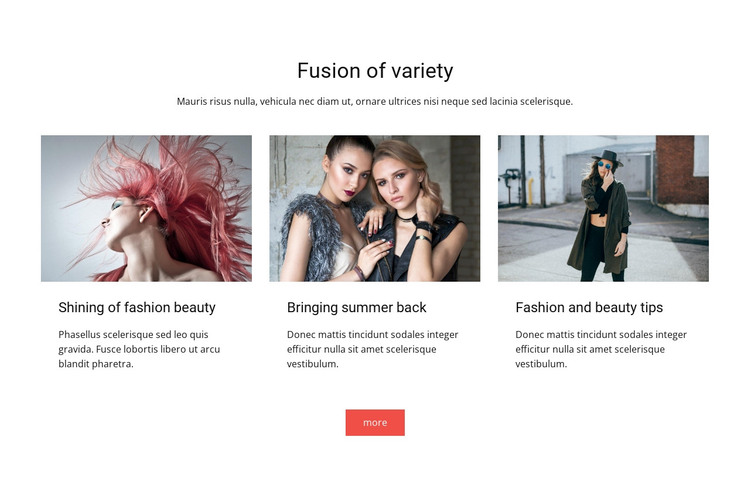
Image-led highlights for a WordPress page content area
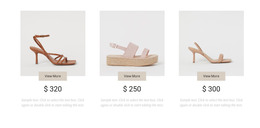
The three repeated image-text items give this section a clear page-content role. “Fusion of variety” introduces the theme from a centered position, and the supporting paragraph prepares visitors for the content row below. Each feature then combines a landscape image with a title and short description, keeping the visual and reading pattern consistent across “Shining of fashion beauty,” “Bringing summer back,” and “Fashion and beauty tips.”
In a WordPress-managed site, the block can provide stable content for a fashion or beauty page while the wider project handles other page areas and publishing tasks. Its organization suits information that should remain visible as a defined feature group rather than being treated as a stream of unrelated entries. The repeated cards also leave room for the surrounding page to place longer explanations or additional content elsewhere.
The centered “more” button creates a secondary continuation point after the three highlights. It can connect this section with further page content when an appropriate destination is available, without making the block itself a complete landing page or site component. The white background and generous spacing help the group sit cleanly among neighboring sections, while the coral-red action supplies a focused visual finish beneath the otherwise black-and-white presentation.
Customize with Nicepage
Open this ready-made template in the WordPress Website Builder and customize it visually in the Nicepage editor. Replace demo content, edit page sections, and adapt the design to your project without rebuilding the template from scratch.
Edit Template Offline
2. Create a new page or select existing
3. Click Add new block, search for id 42504 and click enter
Edit Template Online
Create Awesome Websites


Free Nicepage Builder
Keywords
Manage and Edit This Theme in WordPress
Customize and Install the WordPress Theme
Start with this ready-made theme instead of building the WordPress design from scratch. Customize its layout, content, typography, images, sections, and other design elements visually in Nicepage editor, then export and install the WordPress Theme, Plugin, and Pages on your WordPress site. The Nicepage WordPress Plugin lets you continue working with the site after installation.
Edit the Theme Directly in WordPress
After installation, you can edit the WordPress Theme directly in WordPress with the Nicepage WordPress Plugin. Use Site Style to customize site Colors, Fonts, Header, Footer, Blog, and Post Page Templates while working within your WordPress website.
Edit WordPress Pages Visually
Use the Nicepage WordPress Plugin to edit page content directly from the WordPress admin area. Open a WordPress Page with Nicepage and visually change its text, images, sections, and other page elements while continuing to manage the Page through WordPress.
WordPress Content and Theme Integration
Use the customized theme with WordPress Pages, Posts, Blog and Post Templates, menus, widgets, and other CMS-managed content. Shared theme elements such as Colors, Fonts, Header, Footer, Blog, and Post Page Templates can be managed as part of the overall site design, while WordPress provides the CMS environment for managing site content.
This workflow combines a ready-made WordPress Theme with visual customization, direct theme editing in WordPress, and continued content management through the Nicepage WordPress Plugin.