Find an agent near you WordPress Theme


Stable Company Information in a WordPress Page Section
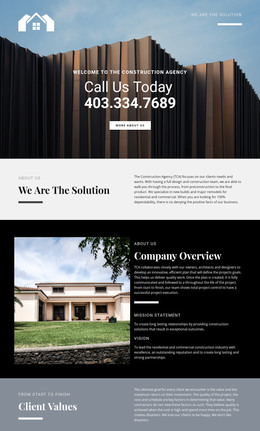
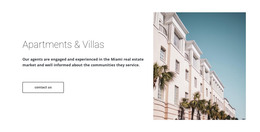
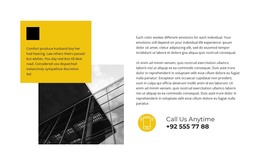
The block’s text reads as durable company information that can sit on a WordPress-managed page rather than as a time-sensitive update. The Company Overview heading introduces the organization, and the accompanying paragraph refers to collaboration with owners, architects, and designers. That introductory content is visually paired with a property photograph on the left, giving the page section both an explanatory and image-led dimension.
Mission Statement and Vision then divide the lower part of the right column into two recognizable content groups. The mission statement describes long-lasting relationships through construction solutions, while the vision statement references residential and commercial construction. This separation makes the section suitable for a stable about area where visitors can understand the organization’s approach and intended field of work in one compact view.
Inside a WordPress-managed site, the block can retain this page-content role while neighboring areas handle services, projects, contact information, or changing editorial material. Its black background, white typography, warm property image, and generous spacing provide a defined visual section that can be coordinated with the surrounding page style. The horizontal divider helps preserve the internal order when the block is placed among other content areas, keeping the overview distinct from the mission and vision statements.
Customize with Nicepage
Open this ready-made template in the WordPress Website Builder and customize it visually in the Nicepage editor. Replace demo content, edit page sections, and adapt the design to your project without rebuilding the template from scratch.
Edit Template Offline
2. Create a new page or select existing
3. Click Add new block, search for id 42385 and click enter
Edit Template Online
Create Awesome Websites


Free Nicepage Builder
Keywords
Manage and Edit This Theme in WordPress
Customize and Install the WordPress Theme
Start with this ready-made theme instead of building the WordPress design from scratch. Customize its layout, content, typography, images, sections, and other design elements visually in Nicepage editor, then export and install the WordPress Theme, Plugin, and Pages on your WordPress site. The Nicepage WordPress Plugin lets you continue working with the site after installation.
Edit the Theme Directly in WordPress
After installation, you can edit the WordPress Theme directly in WordPress with the Nicepage WordPress Plugin. Use Site Style to customize site Colors, Fonts, Header, Footer, Blog, and Post Page Templates while working within your WordPress website.
Edit WordPress Pages Visually
Use the Nicepage WordPress Plugin to edit page content directly from the WordPress admin area. Open a WordPress Page with Nicepage and visually change its text, images, sections, and other page elements while continuing to manage the Page through WordPress.
WordPress Content and Theme Integration
Use the customized theme with WordPress Pages, Posts, Blog and Post Templates, menus, widgets, and other CMS-managed content. Shared theme elements such as Colors, Fonts, Header, Footer, Blog, and Post Page Templates can be managed as part of the overall site design, while WordPress provides the CMS environment for managing site content.
This workflow combines a ready-made WordPress Theme with visual customization, direct theme editing in WordPress, and continued content management through the Nicepage WordPress Plugin.