Cleaning at the highest level WordPress Theme


Service Benefits Become Stable WordPress Page Content
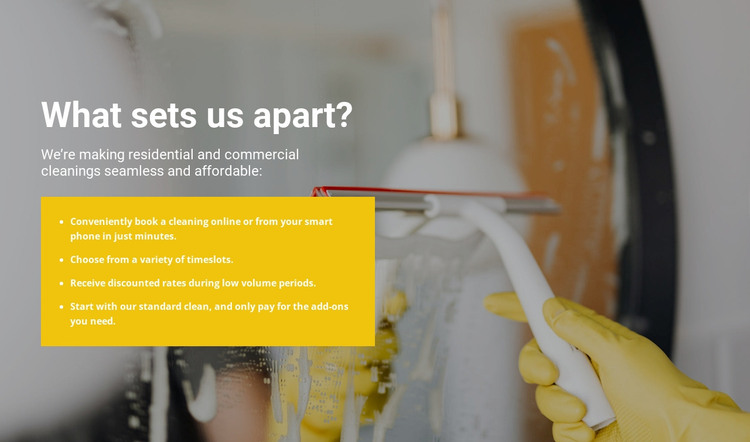
The heading “What sets us apart?” gives the section a direct editorial purpose: explain the practical differences behind a cleaning service. The supporting text introduces residential and commercial cleanings, while the four-item list turns that context into specific page content. Its points cover standard cleaning with optional add-ons, online or smartphone booking, available timeslots, and discounted rates during low-volume periods. These details can remain together as a stable service-information region rather than being treated as a temporary announcement.
The visual arrangement supports that content role. White text is placed over a full-width cleaning photograph with a darkened treatment, keeping the heading and introduction readable while retaining the connection to the service subject. The yellow panel below creates a separate emphasis area for the benefits, so the list is visually distinct from the image-led introduction. This gives the section a clear internal order: context first, practical differentiators second.
In a WordPress-managed project, the block can participate as permanent content on a services or business page while the wider site handles navigation, additional pages, and other publishing needs. The section does not need to carry those site-level functions; its contribution is a focused, visually recognizable explanation of the cleaning offer and the conveniences associated with it.
Customize with Nicepage
Open this ready-made template in the WordPress Website Builder and customize it visually in the Nicepage editor. Replace demo content, edit page sections, and adapt the design to your project without rebuilding the template from scratch.
Edit Template Offline
2. Create a new page or select existing
3. Click Add new block, search for id 323928 and click enter
Edit Template Online
Create Awesome Websites


Free Nicepage Builder
Keywords
Manage and Edit This Theme in WordPress
Customize and Install the WordPress Theme
Start with this ready-made theme instead of building the WordPress design from scratch. Customize its layout, content, typography, images, sections, and other design elements visually in Nicepage editor, then export and install the WordPress Theme, Plugin, and Pages on your WordPress site. The Nicepage WordPress Plugin lets you continue working with the site after installation.
Edit the Theme Directly in WordPress
After installation, you can edit the WordPress Theme directly in WordPress with the Nicepage WordPress Plugin. Use Site Style to customize site Colors, Fonts, Header, Footer, Blog, and Post Page Templates while working within your WordPress website.
Edit WordPress Pages Visually
Use the Nicepage WordPress Plugin to edit page content directly from the WordPress admin area. Open a WordPress Page with Nicepage and visually change its text, images, sections, and other page elements while continuing to manage the Page through WordPress.
WordPress Content and Theme Integration
Use the customized theme with WordPress Pages, Posts, Blog and Post Templates, menus, widgets, and other CMS-managed content. Shared theme elements such as Colors, Fonts, Header, Footer, Blog, and Post Page Templates can be managed as part of the overall site design, while WordPress provides the CMS environment for managing site content.
This workflow combines a ready-made WordPress Theme with visual customization, direct theme editing in WordPress, and continued content management through the Nicepage WordPress Plugin.