Opinion on the latest project WordPress Theme


The Collage Separates Stable Testimonial Content From Its Visual Context
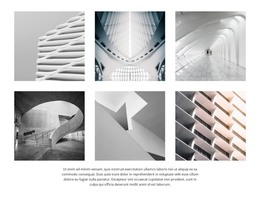
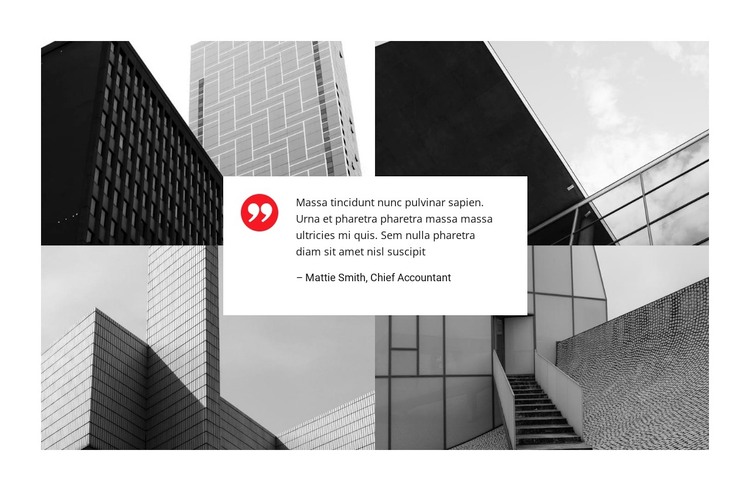
The four architectural photographs give this section a strong page-content identity before the testimonial is considered. Their two-by-two arrangement presents modern buildings, façades, and structural details as a shared visual context. Because the photographs are monochrome, the surrounding imagery remains cohesive while the overlaid card can carry the main contrast. This makes the block read as a focused testimonial area rather than an undifferentiated image grid.
The white rectangular card is the central content region. It overlaps the collage and holds the quote, author name, role, and quotation-mark icon in one compact unit. Dark text supports legibility, while the red quotation mark provides a single visual accent that distinguishes the testimonial from the architectural photographs. The attributed name and role can be retained as sample content structure or replaced with the final contributor details when the page content is prepared.
In a WordPress-managed site, this arrangement can work as stable page content for an architecture or construction-related presentation. It offers a publishable section that combines visual subject matter with an opinion-based proof element, while the surrounding page remains responsible for other content areas and site organization. The block does not need to become a standalone theme: its practical role is to provide one recognizable testimonial region that can sit beside project information, services, or other managed page content.
Customize with Nicepage
Open this ready-made template in the WordPress Website Builder and customize it visually in the Nicepage editor. Replace demo content, edit page sections, and adapt the design to your project without rebuilding the template from scratch.
Edit Template Offline
2. Create a new page or select existing
3. Click Add new block, search for id 2369291 and click enter
Edit Template Online
Create Awesome Websites


Free Nicepage Builder
Keywords
Manage and Edit This Theme in WordPress
Customize and Install the WordPress Theme
Start with this ready-made theme instead of building the WordPress design from scratch. Customize its layout, content, typography, images, sections, and other design elements visually in Nicepage editor, then export and install the WordPress Theme, Plugin, and Pages on your WordPress site. The Nicepage WordPress Plugin lets you continue working with the site after installation.
Edit the Theme Directly in WordPress
After installation, you can edit the WordPress Theme directly in WordPress with the Nicepage WordPress Plugin. Use Site Style to customize site Colors, Fonts, Header, Footer, Blog, and Post Page Templates while working within your WordPress website.
Edit WordPress Pages Visually
Use the Nicepage WordPress Plugin to edit page content directly from the WordPress admin area. Open a WordPress Page with Nicepage and visually change its text, images, sections, and other page elements while continuing to manage the Page through WordPress.
WordPress Content and Theme Integration
Use the customized theme with WordPress Pages, Posts, Blog and Post Templates, menus, widgets, and other CMS-managed content. Shared theme elements such as Colors, Fonts, Header, Footer, Blog, and Post Page Templates can be managed as part of the overall site design, while WordPress provides the CMS environment for managing site content.
This workflow combines a ready-made WordPress Theme with visual customization, direct theme editing in WordPress, and continued content management through the Nicepage WordPress Plugin.