We set goals and win WordPress Theme


Mission content arranged for a stable WordPress page section
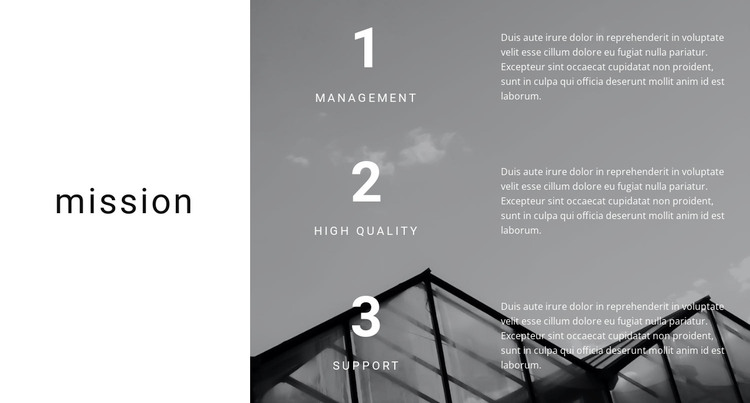
The section’s content reads as permanent page information: a “mission” heading followed by three named principles—management, high quality, and support. Each principle has its own paragraph, giving a WordPress-managed page a compact area for organizational values or service standards. The repeated numbered pattern keeps the three ideas related while allowing visitors to distinguish one principle from the next.
Its layout gives that content a strong visual frame. The white panel on the left separates the mission statement from the detailed rows, while the right panel places the three items over a darkened image of modern architecture. Large numbers establish progression, uppercase labels provide quick scanning points, and the compact supporting paragraphs add explanation without overwhelming the image-backed composition. The contrast between the two panels also makes the section easy to identify within a longer page.
In a WordPress-oriented project, this block can function as stable mission or values content on a page while the wider site manages other publishable material around it. The section does not need to carry the whole theme structure; its contribution is a clearly organized, visually distinctive content area that can be kept consistent as the surrounding site develops.
Customize with Nicepage
Open this ready-made template in the WordPress Website Builder and customize it visually in the Nicepage editor. Replace demo content, edit page sections, and adapt the design to your project without rebuilding the template from scratch.
Edit Template Offline
2. Create a new page or select existing
3. Click Add new block, search for id 210482 and click enter
Edit Template Online
Create Awesome Websites


Free Nicepage Builder
Keywords
Manage and Edit This Theme in WordPress
Customize and Install the WordPress Theme
Start with this ready-made theme instead of building the WordPress design from scratch. Customize its layout, content, typography, images, sections, and other design elements visually in Nicepage editor, then export and install the WordPress Theme, Plugin, and Pages on your WordPress site. The Nicepage WordPress Plugin lets you continue working with the site after installation.
Edit the Theme Directly in WordPress
After installation, you can edit the WordPress Theme directly in WordPress with the Nicepage WordPress Plugin. Use Site Style to customize site Colors, Fonts, Header, Footer, Blog, and Post Page Templates while working within your WordPress website.
Edit WordPress Pages Visually
Use the Nicepage WordPress Plugin to edit page content directly from the WordPress admin area. Open a WordPress Page with Nicepage and visually change its text, images, sections, and other page elements while continuing to manage the Page through WordPress.
WordPress Content and Theme Integration
Use the customized theme with WordPress Pages, Posts, Blog and Post Templates, menus, widgets, and other CMS-managed content. Shared theme elements such as Colors, Fonts, Header, Footer, Blog, and Post Page Templates can be managed as part of the overall site design, while WordPress provides the CMS environment for managing site content.
This workflow combines a ready-made WordPress Theme with visual customization, direct theme editing in WordPress, and continued content management through the Nicepage WordPress Plugin.