Gourmet cooking WordPress Theme


Plated Food Imagery Supports Stable WordPress Page Content
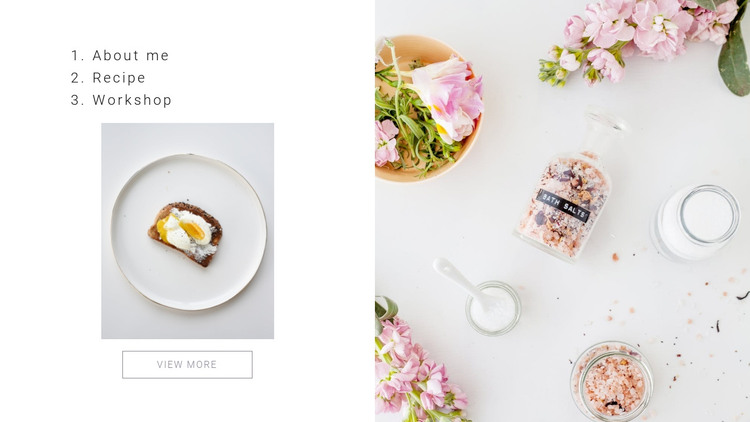
The left column reads as a concise content introduction: About me, Recipe, and Workshop appear as three numbered labels, followed by a plated food photograph and a single View More button. That sequence gives the section a clear progression from orientation to visual subject to onward action. The right column carries a full-height floral tabletop still-life image, separating the supporting atmosphere from the more direct food presentation. The two images therefore perform different roles while remaining part of one balanced split composition.
For a WordPress-managed page, this block can hold stable content such as an introduction to a food creator, a recipe area, or a workshop overview. The labels provide a durable page-content structure, while the View More button can connect visitors to a related page or deeper section managed elsewhere in the project. The block does not need to carry the full editorial system; it can remain a visually consistent section while additional WordPress-managed content expands the individual topics. Its static behavior suits information that should remain immediately visible, and the restrained typography with generous white space helps the section sit comfortably between other page regions. The bright background also allows the food photography to carry much of the visual emphasis.
Customize with Nicepage
Open this ready-made template in the WordPress Website Builder and customize it visually in the Nicepage editor. Replace demo content, edit page sections, and adapt the design to your project without rebuilding the template from scratch.
Edit Template Offline
2. Create a new page or select existing
3. Click Add new block, search for id 160240 and click enter
Edit Template Online
Create Awesome Websites


Free Nicepage Builder
Keywords
Manage and Edit This Theme in WordPress
Customize and Install the WordPress Theme
Start with this ready-made theme instead of building the WordPress design from scratch. Customize its layout, content, typography, images, sections, and other design elements visually in Nicepage editor, then export and install the WordPress Theme, Plugin, and Pages on your WordPress site. The Nicepage WordPress Plugin lets you continue working with the site after installation.
Edit the Theme Directly in WordPress
After installation, you can edit the WordPress Theme directly in WordPress with the Nicepage WordPress Plugin. Use Site Style to customize site Colors, Fonts, Header, Footer, Blog, and Post Page Templates while working within your WordPress website.
Edit WordPress Pages Visually
Use the Nicepage WordPress Plugin to edit page content directly from the WordPress admin area. Open a WordPress Page with Nicepage and visually change its text, images, sections, and other page elements while continuing to manage the Page through WordPress.
WordPress Content and Theme Integration
Use the customized theme with WordPress Pages, Posts, Blog and Post Templates, menus, widgets, and other CMS-managed content. Shared theme elements such as Colors, Fonts, Header, Footer, Blog, and Post Page Templates can be managed as part of the overall site design, while WordPress provides the CMS environment for managing site content.
This workflow combines a ready-made WordPress Theme with visual customization, direct theme editing in WordPress, and continued content management through the Nicepage WordPress Plugin.