Child education WordPress Theme


Paired Education Topics Work as Stable Page Content
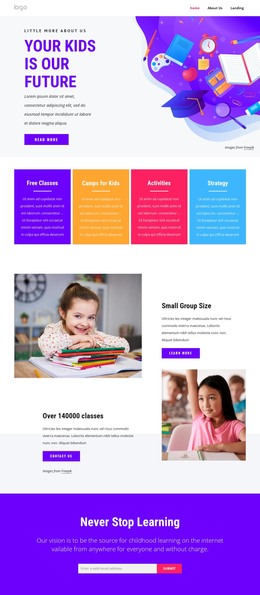
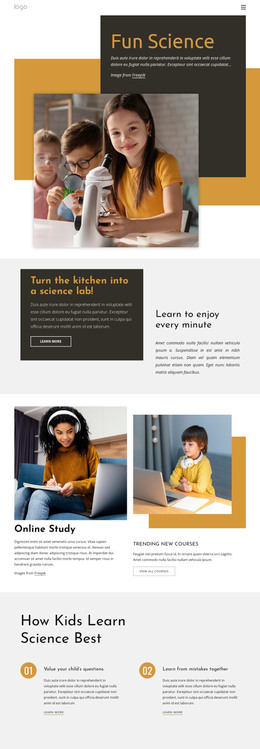
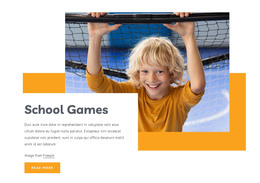
The two titled items give this block a straightforward content model for a WordPress-managed page. Online Education and New Technologies are separate but related information units, and each includes its own supporting paragraph and learn-more link. This makes the section suitable for stable feature or services content that visitors may return to, rather than requiring the block to function as a stream of time-sensitive entries. The large child-focused photograph sits above and between the items, connecting them through one shared visual introduction.
The repeated structure also keeps content responsibilities clear. Text for each topic can remain within its own item, while the paired links provide routes to more detailed information elsewhere in the surrounding project. The block’s role is therefore a publishable page section that can sit within a wider WordPress-managed layout; other content areas can handle navigation, articles, contact information, or additional education material.
Its visual rules help maintain consistency when the section is placed beside other page content. The white background and black typography establish a neutral base, the thin muted-orange accents add a controlled highlight, and the condensed headings distinguish the two topics quickly. Generous whitespace protects readability around the circular image and text row. Together, the content grouping and visual hierarchy make the block adaptable as a stable education features area without turning it into a standalone theme or full page.
Customize with Nicepage
Open this ready-made template in the WordPress Website Builder and customize it visually in the Nicepage editor. Replace demo content, edit page sections, and adapt the design to your project without rebuilding the template from scratch.
Edit Template Offline
2. Create a new page or select existing
3. Click Add new block, search for id 145962 and click enter
Edit Template Online
Create Awesome Websites


Free Nicepage Builder
Keywords
Manage and Edit This Theme in WordPress
Customize and Install the WordPress Theme
Start with this ready-made theme instead of building the WordPress design from scratch. Customize its layout, content, typography, images, sections, and other design elements visually in Nicepage editor, then export and install the WordPress Theme, Plugin, and Pages on your WordPress site. The Nicepage WordPress Plugin lets you continue working with the site after installation.
Edit the Theme Directly in WordPress
After installation, you can edit the WordPress Theme directly in WordPress with the Nicepage WordPress Plugin. Use Site Style to customize site Colors, Fonts, Header, Footer, Blog, and Post Page Templates while working within your WordPress website.
Edit WordPress Pages Visually
Use the Nicepage WordPress Plugin to edit page content directly from the WordPress admin area. Open a WordPress Page with Nicepage and visually change its text, images, sections, and other page elements while continuing to manage the Page through WordPress.
WordPress Content and Theme Integration
Use the customized theme with WordPress Pages, Posts, Blog and Post Templates, menus, widgets, and other CMS-managed content. Shared theme elements such as Colors, Fonts, Header, Footer, Blog, and Post Page Templates can be managed as part of the overall site design, while WordPress provides the CMS environment for managing site content.
This workflow combines a ready-made WordPress Theme with visual customization, direct theme editing in WordPress, and continued content management through the Nicepage WordPress Plugin.