New form in style WordPress Theme


A Portrait-Led Section for Permanent WordPress Page Content
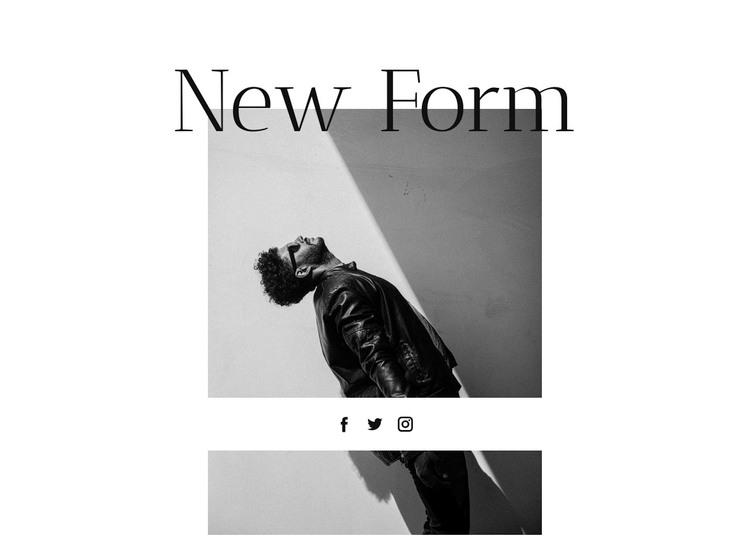
The centered title and portrait sequence give this block a stable page-content role in a WordPress-managed project. “New Form” provides the main textual entry point, followed by an upper monochrome portrait, three grouped social links, and a second portrait below. That order reads as a deliberate visual introduction rather than as a list of unrelated elements, so the section can remain a consistent part of a page while other WordPress-managed content grows around it.
The two image placements carry most of the visual weight. The white background and generous surrounding whitespace prevent the photographs from competing with one another, while the small circular social marks create a compact horizontal interruption between them. The large thin black heading overlaps the upper image area, connecting the title to the portrait treatment and giving the section a clear visual signature.
For WordPress-oriented page content, this block can serve as a reusable editorial or creative-portfolio section without being treated as a complete theme. Its static composition is self-contained: the title, imagery, and social-link group already define the section's purpose, while the wider project can supply navigation, additional page areas, and any separate publishing structure. The block's value lies in preserving this recognizable visual rhythm wherever the section is used.
Customize with Nicepage
Open this ready-made template in the WordPress Website Builder and customize it visually in the Nicepage editor. Replace demo content, edit page sections, and adapt the design to your project without rebuilding the template from scratch.
Edit Template Offline
2. Create a new page or select existing
3. Click Add new block, search for id 133127 and click enter
Edit Template Online
Create Awesome Websites


Free Nicepage Builder
Keywords
Manage and Edit This Theme in WordPress
Customize and Install the WordPress Theme
Start with this ready-made theme instead of building the WordPress design from scratch. Customize its layout, content, typography, images, sections, and other design elements visually in Nicepage editor, then export and install the WordPress Theme, Plugin, and Pages on your WordPress site. The Nicepage WordPress Plugin lets you continue working with the site after installation.
Edit the Theme Directly in WordPress
After installation, you can edit the WordPress Theme directly in WordPress with the Nicepage WordPress Plugin. Use Site Style to customize site Colors, Fonts, Header, Footer, Blog, and Post Page Templates while working within your WordPress website.
Edit WordPress Pages Visually
Use the Nicepage WordPress Plugin to edit page content directly from the WordPress admin area. Open a WordPress Page with Nicepage and visually change its text, images, sections, and other page elements while continuing to manage the Page through WordPress.
WordPress Content and Theme Integration
Use the customized theme with WordPress Pages, Posts, Blog and Post Templates, menus, widgets, and other CMS-managed content. Shared theme elements such as Colors, Fonts, Header, Footer, Blog, and Post Page Templates can be managed as part of the overall site design, while WordPress provides the CMS environment for managing site content.
This workflow combines a ready-made WordPress Theme with visual customization, direct theme editing in WordPress, and continued content management through the Nicepage WordPress Plugin.