Yoga helps with stress relief Template


A Quiet Split Design for a Wellness Invitation
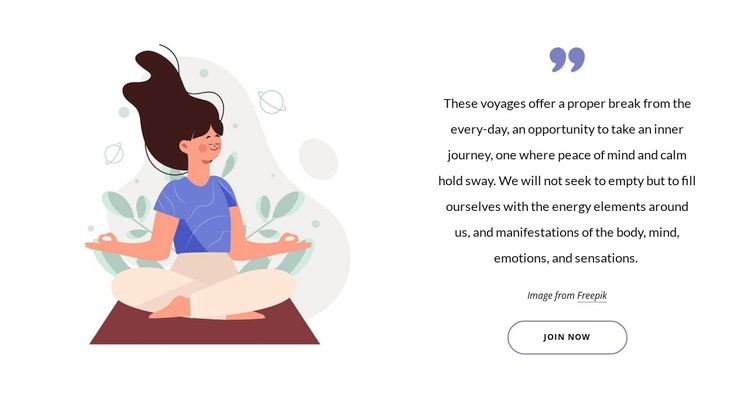
The strongest reason to choose this ready-made block is the way it gives a wellness invitation both visual atmosphere and a defined response point. A soft meditation illustration occupies the left side, creating an immediate cue for reflection without requiring a crowded collection of feature cards or statistics. On the right, a quotation-mark graphic leads into the statement about voyages as an inner journey where peace of mind and calm hold sway. That pairing makes the message feel considered rather than purely promotional.
The Join Now button adds a practical next step beneath the centered copy. It does not compete with the illustration; instead, the spacious text panel guides the eye from quotation to reflective explanation and then toward participation. This makes the section a useful choice when a page needs to invite visitors to explore a retreat, meditation program, or comparable wellness experience through one concentrated composition.
The design is also distinguished by restraint. A white background, generous separation between columns, muted blue-purple and burgundy accents, and a rounded outlined button create contrast without turning the section into a high-density sales panel. The Freepik image credit remains part of the arrangement, preserving the supplied attribution. Compared with a generic promotional block, this option combines a calm visual entry, a meaningful statement, and one explicit action in a compact reusable section.
Customize with Nicepage
Open this ready-made template in the Template Builder and customize it visually in the Nicepage editor. Replace demo content, edit page sections, and adapt the design to your project without rebuilding the template from scratch.
Edit Template Offline
2. Create a new page or select existing
3. Click Add new block, search for id 3583870 and click enter
Edit Template Online
Create Awesome Websites


Free Nicepage Builder
Keywords
Start With a Ready-Made Template
Choose a Design for a New Page
Use a ready-made template as a starting point instead of creating every page from a blank canvas. When adding a new page in Nicepage, browse available designs, compare different layouts, and choose an option that already fits the general purpose and visual direction of your project.
Browse Different Page Designs
Explore Page Designs using search, thematic categories, Design Sets, and full-page previews. The collection includes layouts for different subjects and page purposes, making it easier to compare alternatives before selecting a design to customize.
Customize the Selected Template
After choosing a design, create the page and continue editing it visually in Nicepage. Replace the demo content, adjust images, typography, colors, sections, and other elements, and adapt the ready-made layout to your own content instead of rebuilding the design from the beginning.
Explore More Design Directions
If the first option does not match your project closely enough, return to the design collection and compare other templates before committing to a layout. This makes the template library useful not only for faster page creation, but also for exploring different visual approaches and finding a suitable starting point for a new project.
This workflow gives you access to a broad collection of ready-made designs that can be selected, compared, and customized according to the needs of each new page or project.